Timely Alternative: Flat-Cost Booking Software for Salons
Timely is capable salon software, but its per-staff pricing and broader feature set are not right for every business. Compare Timely with Kevonia before you switch.

Key takeaways
- Timely is a strong choice when you need integrated POS, inventory, SMS reminders, consultation forms, or a mobile app.
- Kevonia is the simpler fit when you want one flat monthly price, unlimited team members, and no booking commission.
- The cheapest-looking plan is not always the lowest total cost once staff growth, payment fees, and unused features are included.
- Before switching, audit your services, availability rules, deposits, client records, and cancellation history so the new system behaves correctly on day one.
| Tool | Starting price | Commission or booking fees | Standout features | Best fit |
|---|---|---|---|---|
| Timely | $26 per staff member/month on Build | Online payments listed at 2.80% + 30¢ per transaction; international cards listed at 2.90% + 30¢ | 24/7 online booking, SMS and email reminders, deposits, inventory, consultation forms, point-of-sale tools, and mobile app | Salons wanting a broader operating platform |
| Kevonia | US$49.99/month for one plan | 0% booking commission; Stripe payment processing applies | Branded booking page, team calendar, availability rules, client records, deposits, email reminders, cancellation history, and no-show controls | Salons wanting predictable pricing and focused booking operations |
What are you really looking for in a Timely alternative?
If you searched for a timely alternative, you probably do not need another generic list of booking apps. You need to know whether Timely is becoming too expensive, too broad, too complicated, or simply mismatched with the way your salon or spa operates.
The practical comparison is between Timely’s per-staff plans and a flat-cost system such as Kevonia. Timely is better suited to owners who want a broad salon platform with point-of-sale tools, inventory, SMS communication, consultation forms, and a mobile app. Kevonia is better suited to businesses that want online booking, a team calendar, client records, availability controls, and Stripe payments without feature tiers, per-seat charges, or a commission on bookings.
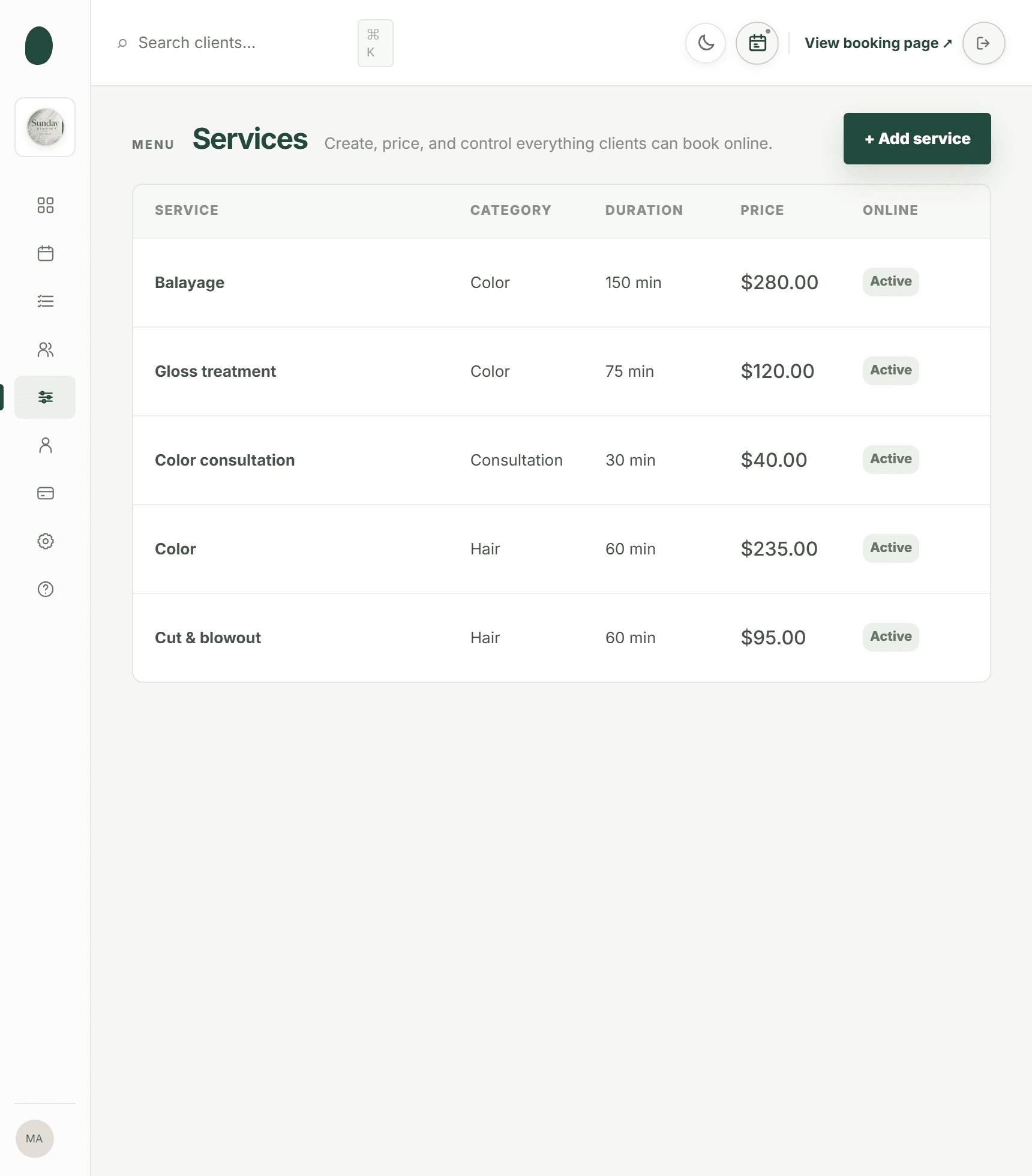
Timely vs. Kevonia at a glance
Timely’s current US pricing page lists Build at $26 per staff member per month and Elevate at $39 per staff member per month, billed monthly. The same page lists online payment pricing of 2.80% plus 30 cents per transaction, with an international card rate of 2.90% plus 30 cents. Timely also lists SMS reminders, inventory management, online booking, deposits, consultation forms, client profiles, and a mobile app across its plan comparison, although availability varies by plan.
Kevonia has one US$49.99/month plan. It includes unlimited team members, bookings, clients, and services, with 0% booking commission. Its 7-day trial is free, requires no credit card to start, and does not charge you if you cancel before the trial ends.
That creates an important break-even question. A two-person team on Timely Build would have a listed software cost of $52 per month before payment fees, while a five-person team would be $130 per month before payment fees. Kevonia remains US$49.99/month as the team grows. The right answer depends on whether you will use Timely’s extra operational tools and how much you collect through online payments.
Comparison table: Timely and Kevonia
Use this table as a shortlist, not as the entire buying decision. A low monthly price can be misleading if it excludes the tools you actually need; a larger platform can also be poor value if your team mainly needs dependable booking and scheduling.
Where Timely is the better choice
Timely is not a bad product that every salon should leave. Its official product pages show a mature booking and payments platform aimed specifically at hair and beauty businesses. Timely supports 24/7 online booking, automated SMS and email reminders, deposits, cancellation fees, client profiles, stock management, consultation forms, and a mobile app. For a salon that wants those functions in one ecosystem, staying with Timely may be more practical than rebuilding the workflow elsewhere.
- Choose Timely when inventory or retail operations are central to the business.
- Choose Timely when your team relies on SMS communication rather than email-only reminders.
- Choose Timely when staff need a mobile app for managing appointments away from the front desk.
- Choose Timely when digital consultation forms, gift vouchers, loyalty tools, or point-of-sale hardware are part of your daily process.
- Choose Timely when you are willing to pay per staff member in exchange for a broader feature set.
The usual advice misses one important failure case: a cheaper booking tool can be the wrong move if the migration removes a workflow your staff uses every day. For example, a med spa that depends on consultation forms and documented pre-appointment information should not switch only because a flat monthly price looks attractive. Confirm the replacement process first, or keep Timely until you have a safe alternative.
Where Kevonia fits differently
Kevonia fits salons, barbershops, tattoo studios, nail salons, day spas, med spas, esthetician and lash studios, beauty clinics, wellness and yoga studios, and massage therapists that want a focused booking workspace rather than a large retail or marketing suite. The product includes a branded booking page where clients choose a service, professional, date, and time, plus a week and day team calendar with professional filters and color coding.
Its scheduling controls are designed for the problems that cause real appointment damage: double bookings, incorrect breaks, staff time off, closures, and services that need cleanup time. Kevonia checks availability against hours, breaks, time off, and existing bookings. Service settings can include duration, cleanup or buffer time, price, an optional deposit, and the professionals allowed to perform that service.
The cost difference is also structural. Kevonia does not charge per seat, per booking, or by feature tier. A team can add professionals, clients, bookings, and services without changing the subscription price. Payments and deposits run through Stripe, with payouts going to the salon’s bank account. When the salon refunds an online payment from the booking, the Stripe processing fee on the refund is shown so the owner can see the real cost.
This makes Kevonia a practical gettimely alternative for an owner with a growing team who wants predictable software costs but does not need inventory POS, SMS campaigns, multi-location management, or a native mobile app. Those omissions are not hidden advantages; they are boundaries to check before choosing.
The cost question: compare the whole booking operation
Do not compare only the advertised subscription. Compare the monthly cost of the workflow you will actually run. Timely’s listed price is per staff member, so the subscription rises as you add bookable professionals. Its pricing page also lists a fee for online payments. Kevonia’s subscription is fixed at US$49.99/month and its booking commission is 0%, but Stripe processing still applies because payments run through Stripe.
- Count every bookable professional, including part-time staff who may still require a seat.
- Estimate how many online deposits or card payments you take in a typical month.
- Separate software subscription costs from payment processing costs.
- Mark which features you would genuinely use every week, not merely appreciate during a demo.
- Model the cost after your next hire, not only the cost of your current team.
A two-person salon may find Timely Build close to Kevonia’s flat price before payment fees. A larger team may find the opposite. But the calculation can reverse if Timely’s inventory, mobile app, consultation forms, SMS, or point-of-sale tools replace separate software or manual work. Conversely, paying for those tools is wasteful if your business only needs online reservations, deposits, client history, and a reliable calendar.
The best comparison is therefore not “Which price is lower?” It is “Which system leaves fewer paid or manual pieces around the booking process?” Put both products on a simple monthly worksheet and include software, payment fees, separate messaging tools, inventory tools, and staff time spent fixing schedule errors.
The switching test most comparison pages skip
Before moving from Timely, run a short operational audit. This is where many salon owners discover that the visible calendar is not the hard part. The difficult part is recreating the rules behind the calendar without opening unwanted time slots or losing information your front desk needs.
- Export or manually document every service, including duration, price, cleanup time, deposits, and assigned professionals.
- Write down each professional’s opening hours, breaks, time off, recurring days away, and booking limits.
- Record your booking window, minimum notice, cancellation notice period, and time-slot interval.
- List active clients, private notes, visit history, no-show patterns, and clients who should be blocked from online booking.
- Test a new booking, a reschedule, a cancellation, a deposit, a refund, and a double-booking attempt before inviting clients.
- Send the booking link to staff first and ask them to test the exact services they perform.
- Keep the old system available until future appointments have been checked in the new calendar.
The failure case to avoid is a service that looks correct but produces bad availability. A 60-minute facial with no cleanup buffer can create an impossible back-to-back schedule. A stylist assigned to the wrong service can make a qualified professional appear unavailable. A missing minimum-notice rule can allow a client to book while the owner is already on the way home. Test those edge cases, not just the happy path.
Booking, reminders, and no-show control
Both platforms address the basic reason owners buy salon software: clients should be able to book without calling while the business keeps control of availability. Timely highlights 24/7 online bookings, reminders, deposits, cancellation fees, and client self-service. Kevonia provides a branded online booking page, optional deposits, an automatic email reminder the day before an appointment, and reschedule or cancellation links inside that email when the request falls within the salon’s notice window.
Kevonia also keeps cancellation history with restore, supports booking statuses such as needs confirmation, awaiting payment, booked, checked in, completed, no-show, and cancelled, and lets the owner block a client from booking online with a reason and no-show history on the client record. Those controls matter when a business has recurring no-shows but does not want to block every client or require manual phone screening.
If you are comparing salon software competitors, ask one specific question: what happens after the client misses the appointment? A reminder is only one part of the process. You also need a clear status, a visible history, a way to prevent repeat abuse, and a consistent deposit or cancellation policy. For salons trying to reduce fake or low-intent bookings, the booking and client record should work together rather than leaving the owner to remember problem clients.
Which Timely alternative is right for your salon?
Choose Timely if you want a wider operational platform and will use its per-staff pricing model in exchange for inventory, point-of-sale capabilities, SMS reminders, consultation tools, mobile access, or broader client engagement features. It is particularly logical when replacing Timely would force you to buy several other systems.
Choose Kevonia if you want a branded booking page, a team calendar, client records, service and availability rules, deposits and card payments through Stripe, email reminders, cancellation history, no-show controls, and a straightforward workspace at one monthly price. Its unlimited team members and 0% booking commission are most relevant when the salon is adding professionals or wants to avoid software costs rising with every seat.
- Select Timely when breadth matters more than a flat subscription.
- Select Kevonia when predictable cost and core booking operations matter more than POS or marketing breadth.
- Stay with Timely when your current consultation, inventory, or mobile workflows are business-critical and have no tested replacement.
- Move to Kevonia when you are paying for features you do not use and your main pain is per-seat cost or booking complexity.
The honest answer is not that one platform is universally best. The better timely alternative is the one that matches your operating model after you account for the next hire, payment volume, client data, availability rules, and the features your team actually uses. If you want to inspect Kevonia before making that decision, the live demo workspace shows the product structure without requiring you to redesign your business first.
Sources
- Timely pricing and plans
- Timely hair salon software features
- Timely official salon software overview
- Kevonia spa booking software
- Kevonia salon booking program
- Kevonia salon reservation software
- Kevonia beauty salon booking software
- Kevonia hair salon booking software
- Kevonia live demo
- How to set staff availability for a salon calendar
- How to stop fake salon bookings
Frequently asked questions
What is the best Timely alternative for a growing salon?+
It depends on what is driving the change. Kevonia is a strong fit when your main concern is per-staff pricing, booking commissions, or a need for a focused booking system with unlimited team members. Timely may remain the better fit when your salon depends on inventory, point-of-sale tools, SMS, consultation forms, or a mobile app.
Is Kevonia cheaper than Timely?+
Kevonia costs US$49.99/month with unlimited team members, bookings, clients, and services, and it charges 0% booking commission. Timely’s US Build plan is listed at $26 per staff member per month, so a one-person team may pay less for the subscription, while a larger team may pay more. Payment processing and the value of included features should be included in the comparison.
Does Kevonia charge per booking or per staff member?+
No. Kevonia has one US$49.99/month plan and does not charge per booking or per seat. Stripe processing applies to card payments because Kevonia uses Stripe for payments and deposits.
Will switching from Timely fix double bookings?+
Only if the replacement is configured correctly. Kevonia checks availability against opening hours, breaks, time off, salon closures, existing bookings, and service cleanup or buffer time. Before switching, test overlapping services, staff-specific assignments, same-day bookings, and time-off periods instead of checking only whether the calendar looks familiar.
Does Kevonia replace Timely’s inventory, POS, SMS, or mobile app features?+
No. Kevonia currently does not offer retail or inventory POS, marketing or SMS campaign tools beyond the booking reminder email, multi-location management from one account, or a native mobile app. Choose it for its booking, scheduling, records, availability, payment, and no-show workflows rather than expecting it to reproduce every Timely module.
How long is Kevonia’s free trial?+
Kevonia offers a free 7-day trial with no credit card required to start. If you cancel anytime before the trial ends, you are never charged.
More from the blog

Squire Alternative: When a Leaner Booking System Fits Better
SQUIRE is built for full barbershop operations. Kevonia is a simpler flat-cost alternative when your priority is branded booking, scheduling, payments, and client records without per-seat or per-booking charges.

Treatwell Alternative: Compare the Real Trade-Offs
Treatwell can bring discovery bookings, but it is not the only way to run your calendar. Compare the marketplace model with Kevonia’s flat-cost, direct-booking approach.

Salon Ultimate Alternative: Compare Booking Control and Total Cost
Looking for a Salon Ultimate alternative? Compare the published pricing, operating model, booking controls, and trade-offs before moving your salon or spa.