Square Appointments Alternative: Kevonia vs. Square in 2026
Square Appointments is convenient, but its payment fees and broader POS approach are not right for every salon. Compare Square with Kevonia before you switch.

Key takeaways
- Square Appointments is attractive if you want scheduling, point-of-sale tools, marketing integrations, and payment processing in one ecosystem.
- Kevonia is more predictable for salons that want one booking and scheduling plan at $49.99 per month with no per-booking commission or per-seat charges.
- Square starts at $0 per month, but payment processing fees still apply when clients pay through Square.
- The right choice depends on whether your priority is a broader commerce platform or focused salon and spa appointment management.
| Tool | Starting price | Commission or booking fees | Standout features |
|---|---|---|---|
| Kevonia | $49.99/month | 0% per-booking commission; Stripe card-processing terms apply to payments | Branded 24/7 booking page, team calendar, detailed availability rules, client records, service menu, deposits, reminders, and unlimited team members, bookings, clients, and services |
| Square Appointments | $0/month with Square Free | No per-booking commission is listed; payment-processing fees apply. Square’s pricing page lists rates by payment method and plan, including online and in-person card payments | Online booking, staff calendars, deposits, cancellation policies, waitlists, Google Calendar sync, SMS and email reminders, Square Assistant, POS payments, customer profiles, and broader Square business tools |
What are you really looking for in a Square Appointments alternative?
If you searched for a square appointments alternative, you probably do not need another generic scheduling app. You want to know whether there is a better fit for your salon, spa, barbershop, or studio: one that makes online booking simple, keeps staff availability accurate, protects your calendar from double bookings, and gives you a cost you can understand before you sign up.
Square Appointments remains a capable option, especially if you already use Square for payments or point-of-sale operations. Kevonia takes a narrower approach. It is built around salon and spa scheduling, client records, services, availability rules, online booking, and Stripe payments. The better choice depends on whether you want an all-purpose commerce ecosystem or a focused appointment workspace.
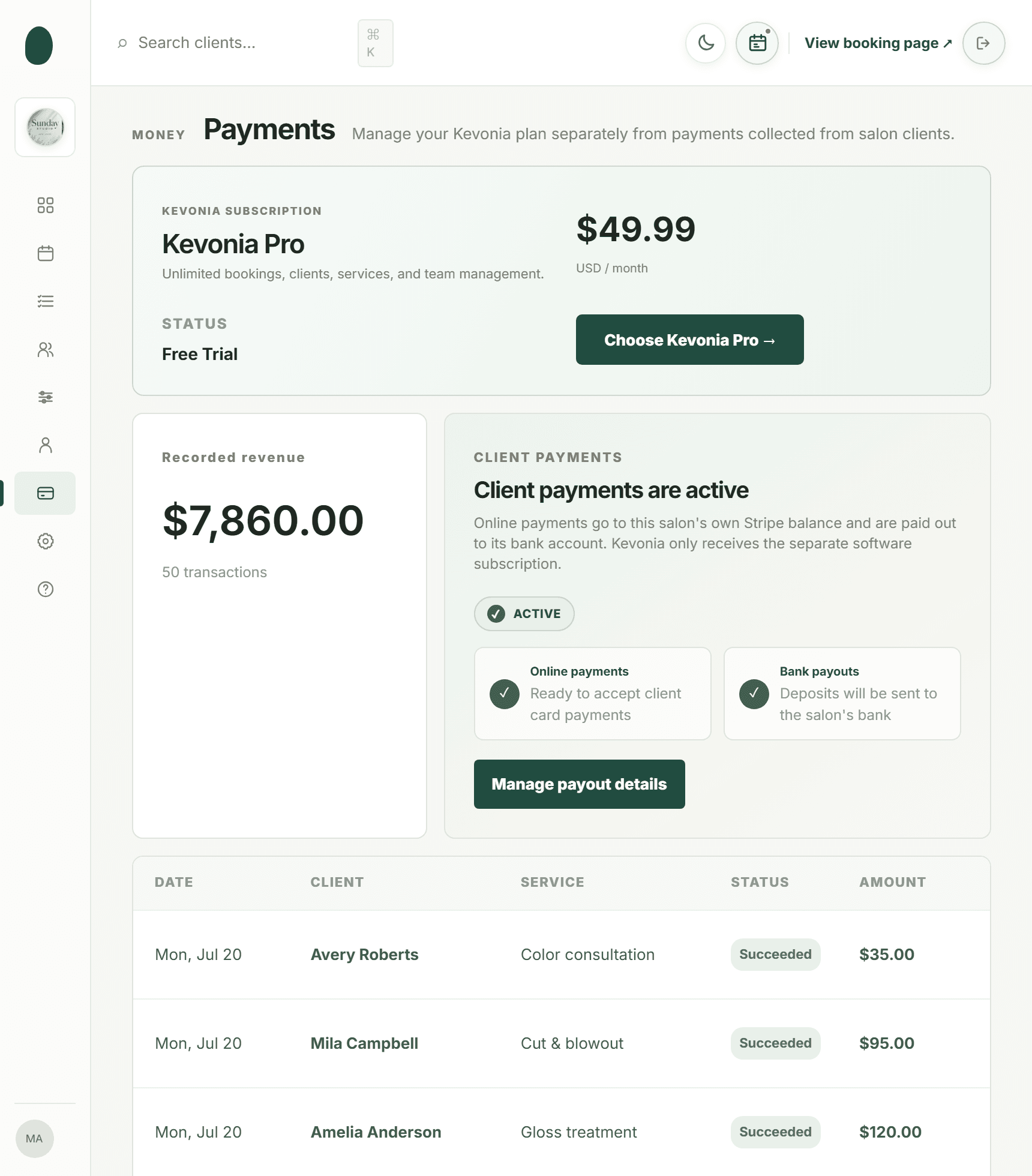
Kevonia vs. Square Appointments at a glance
The biggest difference is not simply the monthly price. Square has a free subscription option, but payment processing fees apply when you take card payments. Kevonia uses a single $49.99 monthly plan and does not charge a per-booking commission or a per-seat fee. For a salon that mainly needs scheduling and online booking, that distinction can make the monthly budget easier to forecast. Supporting details are available from Square Appointments pricing.
Square’s current U.S. pricing page lists Square Free at $0 per month, with Square Plus and Square Premium offering paid plans and additional capabilities. The same page lists payment processing rates by payment type and plan. Because Square’s fees depend on how clients pay and which plan you use, calculate your expected processing cost from your actual booking volume rather than comparing subscription prices alone.
Comparison table: Kevonia and Square Appointments
This table focuses on the costs and capabilities most relevant to an owner choosing appointment software. Square’s payment fees are processing charges, not a booking commission. Kevonia’s listed price includes its available features, with no feature tiers or add-on pricing.
- Use the starting price as the subscription baseline, not the total cost of payment acceptance.
- Review payment fees separately if you collect deposits or card payments online.
- Prioritize the workflow your staff will use every day: booking, availability, client history, reminders, and payment collection.
Where Square Appointments is the stronger choice
Square Appointments is a strong fit when appointment scheduling is only one part of the system you need. Square connects appointments with its point-of-sale environment, payment tools, customer profiles, reports, and other business capabilities. Its appointment features include online booking, staff calendars, deposits, cancellation policies, waitlists, Google Calendar sync, and payment options such as cards and digital wallets.
That broader scope matters for a salon that sells retail products, wants in-person checkout connected to appointments, needs multiple locations, or plans to use additional Square tools. Square’s pricing page also lists options such as resource management, classes, waitlists, multi-location management, invoices, gift cards, and team reporting. Those capabilities can reduce the number of separate systems an expanding business has to coordinate.
Square also offers automated email and text reminders, online self-service rescheduling, card-on-file options, and cancellation or no-show policies. Its Square Assistant can respond to clients by text for confirmations, cancellations, and rescheduling. If SMS communication and a connected POS are central to your operation, Square may be the more complete platform.
- Choose Square when you want appointment software closely connected to a broader POS and commerce system.
- Choose Square when you need capabilities such as waitlists, classes, multi-location management, resource management, or SMS-based appointment communication.
- Choose Square when your business already processes payments through Square and keeping one payments ecosystem matters more than having a fixed scheduling subscription.
Where Kevonia fits differently
Kevonia fits salons and spas that want a focused scheduling system rather than a larger retail or point-of-sale platform. Its branded online booking page is available 24/7, and clients select a service, professional, date, and time. The workspace includes a week and day team calendar, per-professional filters, color coding, client records, a service menu, availability rules, and Stripe card payments.
Its pricing is deliberately simple: one plan at $49.99 per month, with no feature tiers, add-on pricing, per-booking commission, or per-seat charge. The plan includes unlimited team members, bookings, clients, and services. A 14-day free trial requires no credit card to start, and you are never charged if you cancel before the trial ends.
That structure is useful for a growing salon with several professionals. You can add team members without a separate seat bill, create services with duration and cleanup or buffer time, assign services to specific professionals, and set different availability rules. Those rules can include weekday opening hours, multiple breaks, time off, salon closures, booking windows, minimum notice, and time-slot intervals.
Kevonia is not positioned as an all-in-one retail POS or marketing platform. It does not currently provide multi-location management from one account, retail or inventory POS, marketing or SMS campaign tools beyond the booking reminder email, or a native mobile app. Those limitations are important if you need a wider business suite. They can also be a benefit if you want the booking system to stay centered on appointments instead of adding tools your team will not use.
Compare the daily booking workflow, not just the feature list
A software comparison becomes more useful when you test realistic appointments. Imagine a client booking a 90-minute balayage with 15 minutes of cleanup time. The system must know which stylists perform the service, when each stylist works, whether a break or time-off period blocks the slot, and whether another appointment already occupies that time.
With Kevonia, the booking flow starts with the service, then professional, date, and time. The availability rules and double-booking protection are designed to check hours, breaks, time off, salon closures, and existing bookings. That is especially relevant when one professional works different hours on different weekdays or when services require buffers between clients. We cover this in more depth in prevent double bookings.
Square also schedules appointments against staff availability and offers calendar tools intended to keep booking data current. Its Google Calendar sync can block personal events, and its feature pages describe waitlists, online booking integrations, and cancellation policies. The practical question is whether you need Square’s wider set of integrations or simply want accurate salon availability without a POS-centered setup.
- Create your most complicated service, including its duration and cleanup or buffer time.
- Add a professional with nonstandard hours, multiple breaks, or upcoming time off.
- Test a booking that overlaps an existing appointment and confirm the system blocks it.
- Book as a client and check how clearly the service, professional, date, and time are presented.
- Reschedule or cancel from the client side and confirm the calendar reflects the change.
Payments, deposits, and the real cost of each booking
Payment economics are often the deciding factor when someone searches for an alternative to square appointments. A free scheduling subscription can look inexpensive, but the total cost depends on whether clients pay online, whether you collect deposits, how much you process, and whether you need a paid plan for the capabilities your team expects.
Square’s current pricing information states that Square Free has no monthly subscription cost and that payment processing fees apply when you accept payments. The listed U.S. rates vary by payment method and plan; for example, the pricing page shows separate rates for in-person card payments, online card payments, manual entry, and card-on-file transactions. Treat those rates as part of the operating cost of Square, not as an optional detail.
Kevonia charges $49.99 per month and 0% per-booking commission. It supports card payments and deposits through Stripe, with payouts going to the salon’s bank account. For an owner who wants a predictable software bill and already has a separate checkout or retail process, that may be easier to budget. You should still review Stripe’s applicable payment-processing terms separately because the Kevonia price does not mean card networks process payments at no cost.
Consider three scenarios before choosing. A solo barber who mostly takes cash may value Square’s $0 monthly subscription. A six-person salon taking frequent online deposits may prefer to compare processing costs against Kevonia’s fixed monthly plan. A spa selling retail products, gift cards, and services may accept higher complexity in exchange for a broader Square ecosystem. The cheapest-looking option is not automatically the lowest-cost option for your actual mix of bookings and payments.
- Estimate monthly card volume, not just appointment volume.
- Separate software subscription costs from payment-processing costs.
- Include deposits, online payments, manually entered cards, and in-person checkout in the estimate.
- Ask whether every staff member and service is included or billed separately.
- Check whether a needed capability requires moving from a free tier to a paid plan.
Reminders, cancellations, and client records
A booking system should reduce administrative work after the appointment is created. Kevonia automatically emails a reminder the day before the appointment. Clients can reschedule or cancel from that email within the salon’s notice window. Kevonia also keeps cancellation history with restore, which gives the owner a record of changes without deleting the original context. We cover this in more depth in appointment reminder email.
Client records in Kevonia can be searched by name, email, or phone and include private notes and visit history. That gives a stylist, esthetician, massage therapist, or lash professional a practical place to record information needed for future appointments. It is a focused record system rather than a general marketing database, so owners who want SMS campaigns or automated promotional journeys will need another tool.
Square offers a wider communication layer. Its appointment tools support automated email and SMS reminders, customizable notifications, self-service rescheduling, and Square Assistant responses. Square’s customer profiles can also connect appointment activity with payment and customer information. That is more suitable if text communication, payment history, and customer messaging need to live in the same business system.
- Choose Kevonia if a day-before email reminder and client self-service changes cover your normal workflow.
- Choose Square if you want SMS reminders, automated text responses, or more extensive customer messaging.
- Choose either platform only after testing how cancellations, rescheduling, and deposits appear to staff on the calendar.
- Write a clear notice window so clients know when changes may become chargeable or restricted.
Which tool should your salon choose?
Choose Kevonia if your primary problem is appointment organization. It is a good match for hair salons, barbershops, tattoo studios, nail salons, day spas, med spas, esthetician and lash studios, beauty clinics, wellness and yoga studios, and massage therapists that want a branded booking page, team calendar, detailed availability controls, client records, service configuration, reminders, and Stripe payments in one focused workspace.
Choose Square Appointments if your business depends on the wider Square environment. It may be the better option for a business that needs point-of-sale checkout, retail operations, gift cards, classes, waitlists, multi-location support, Google and social booking integrations, or SMS-based appointment communication. It can also be sensible when your team already knows Square and changing payment systems would create unnecessary disruption.
For a small or mid-sized appointment-led business, the decision usually comes down to three questions: Do you want a fixed scheduling subscription or a free plan with payment processing fees? Do you need a broader commerce platform or a focused salon calendar? And do you need SMS, retail, or multi-location tools today, or are you trying to remove complexity from daily booking?
If the answer is focused scheduling, predictable pricing, and unlimited team members without per-seat charges, Kevonia is worth evaluating as your square appointments alternative. If the answer is integrated POS, retail, and broader business operations, Square may justify its payment-fee model and more expansive setup.
How to switch without disrupting your calendar
Switching appointment software is less about importing a list and more about rebuilding the rules that determine whether clients see the correct times. Before moving from Square, document every service, duration, cleanup or buffer period, professional assignment, opening hour, break, time-off block, closure, minimum notice rule, and cancellation window.
Start with a small test group rather than changing every public link at once. Recreate your most-booked services, verify each professional’s availability, and make several test bookings from the client view. Check the reminder email, deposit behavior, cancellation flow, and staff calendar. If your salon has multiple professionals with different schedules, test each schedule independently instead of assuming one correct setup applies to everyone.
- Export or manually document your existing service menu and client information according to the records you are permitted to transfer.
- Create the service durations, buffers, prices, deposits, and professional assignments in the new workspace.
- Enter opening hours, breaks, time off, closures, minimum notice, booking window, and time-slot interval rules.
- Run test bookings for short, long, deposit-required, and unavailable services.
- Send the new booking page to staff first and correct confusing labels before sending it to clients.
- Replace the old booking link everywhere clients find it, including your website, social profiles, email signature, and printed materials.
- Keep the old system available long enough to answer questions about historical appointments and cancellations.
Kevonia includes a guided setup checklist, help center, live demo workspace, and sign-in with Google or email. The 14-day trial does not require a credit card to start; cancel anytime before the trial ends and you are never charged. Use that period to test real scheduling scenarios, not just to inspect the home screen.
Frequently asked questions about Square Appointments alternatives
The right choice depends on your services, team size, payment volume, and need for tools beyond appointment scheduling. These answers address the questions salon and spa owners commonly need to settle before switching.
Sources
Frequently asked questions
Is Kevonia cheaper than Square Appointments?+
It depends on how you use each system. Kevonia costs $49.99 per month with no per-booking commission, no per-seat charge, no feature tiers, and no add-on pricing. Square Appointments starts at $0 per month on Square Free, but payment-processing fees apply when you accept payments. Compare your expected monthly card volume, online deposits, in-person payments, and required plan capabilities before deciding.
Does Kevonia charge a fee for every appointment?+
No. Kevonia charges 0% per booking. Its software price is a single $49.99 monthly plan. Card payments and deposits are handled through Stripe, so normal payment-processing terms may apply separately to transactions.
Does Square Appointments include online booking and reminders?+
Yes. Square’s appointment tools include a 24/7 online booking website and automated appointment reminders. Square supports email and SMS reminders, and its tools can allow clients to reschedule or cancel. Square Assistant can also respond to appointment messages by text. The exact capabilities and payment fees depend on the Square plan and settings you use.
Which is better for a salon with multiple professionals?+
Both can support team scheduling, but they serve different priorities. Kevonia includes unlimited team members, a week and day team calendar, professional filters, color coding, service-to-professional assignments, and detailed availability rules without a per-seat charge. Square offers unlimited calendars and broader staff, payment, POS, reporting, and business-management capabilities. Choose Kevonia for focused appointment management; choose Square if your team needs the wider Square ecosystem.
Does Kevonia replace a retail POS or marketing platform?+
No. Kevonia currently focuses on booking and salon scheduling. It includes Stripe card payments and deposits, but it does not currently offer retail or inventory POS, multi-location management from one account, marketing or SMS campaign tools beyond the booking reminder email, or a native mobile app. If those capabilities are essential, Square may be a closer fit or you may need additional software alongside Kevonia.
How can I test Kevonia before switching from Square?+
Kevonia offers a free 14-day trial with no credit card required to start. You can cancel anytime before the trial ends and you are never charged. Recreate your busiest services, add staff schedules and time off, test a deposit, make a client-side booking, and verify reminders, cancellations, rescheduling, and double-booking protection before changing your public booking link.
More from the blog

Goldie App Alternative: When a Flat Salon System Wins
Goldie is a capable starting point for appointment scheduling, but growing salons may need a clearer team workflow and predictable cost. Compare Goldie with Kevonia before switching.

Beauty Salon Software for iPad: What to Look For in 2026
Looking for beauty salon software for iPad? Learn which booking, calendar, payment, and staff-management features matter—and where Kevonia, Vagaro, Square Appointments, and Fresha fit.

9 Best Salon Scheduling Software Options for 2026
Compare the best salon scheduling software for 2026, including Vagaro, Acuity Scheduling, Square Appointments, Fresha, and Kevonia. See which platform fits your team, budget, and booking workflow.