How to Prepare Your Salon for the Holiday Season in 2026
A practical holiday-preparation checklist for salon and spa owners covering staffing, scheduling, services, deposits, client communication, safety, and January rebooking.

Key takeaways
- Use last year's appointment patterns, service times, cancellations, and revenue to build a realistic holiday plan.
- Protect capacity by setting accurate availability, buffers, notice periods, deposits, and holiday closure dates before bookings accelerate.
- Prepare your team and workspace for longer days without compromising safety, service quality, or communication.
- Make it easy for clients to book, confirm, reschedule, and return for their next appointment after the holidays.
What salon owners actually need to prepare before the holidays
If you searched for how to prepare your salon for the holiday season, you probably do not need another list of generic promotion ideas. You need to know how to avoid an overloaded calendar, understaffed shifts, late cancellations, unhappy clients, and a team that is exhausted before the busiest appointments arrive.
The most reliable approach is to prepare in layers: forecast demand, decide how much capacity you can safely sell, configure the calendar, confirm your team plan, communicate clear policies, and create a simple process for handling changes. Start early enough to test the system before the holiday rush rather than trying to fix it while every chair is full.
1. Review last year before changing this year’s schedule
Begin with evidence instead of guessing. Review the same weeks from the previous holiday period, then compare them with the most recent 30 to 90 days. Look for demand by weekday, service, professional, appointment length, average ticket, cancellation timing, and no-show rate. A salon busy season can look profitable on paper while certain services create bottlenecks that delay the rest of the day.
Ask four practical questions: Which services filled first? Which appointment types ran over their advertised duration? When did cancellations create openings that were too late to refill? Which professionals had unused capacity even when the overall salon appeared full? The answers will help you decide whether to extend hours, add a specific service day, limit certain combinations, or keep the schedule unchanged.
- Mark the dates when demand historically increased, peaked, and dropped.
- Calculate how many appointments each professional can complete without skipping breaks or cleanup.
- Identify services that need color processing, sanitation, setup, or cleanup time between clients.
- Separate reliable holiday demand from one-time events, such as a wedding party or local celebration.
- Estimate the number of last-minute openings you can realistically cover if someone cancels.
Do not treat last year’s total bookings as a target you must beat. Capacity is limited by people, rooms, equipment, opening hours, and the physical time required to perform each service. A smaller number of well-timed appointments can produce better revenue and a calmer client experience than squeezing in appointments that leave no recovery time.
2. Decide your holiday hours and staffing plan
Set holiday hours before clients begin requesting appointments. Decide which days you will open, whether you will start earlier or close later, which dates are fully closed, and when the final appointment should begin. The U.S. Small Business Administration recommends planning holiday staff schedules, communicating expectations, and setting a deadline for team members to request time off. That principle is especially important in a service business where one absent professional can affect an entire day of bookings.
Create a written staffing plan that covers the normal schedule and the exceptions. Include who opens, who closes, who handles phone calls or walk-ins, who can cover a late arrival, and who is authorized to adjust a booking. If you use booth renters, commission-based staff, contractors, or employees, confirm each person’s availability and responsibilities in writing rather than assuming that the regular arrangement will work during extended hours.
- Collect time-off requests by a firm date.
- Publish the holiday schedule early enough for staff to plan their personal commitments.
- Add a realistic meal and rest-break plan to longer shifts.
- Assign backup coverage for the services that are hardest to rebook.
- Set a maximum number of appointments per professional and per day.
- Decide who can approve same-day changes, discounts, refunds, or service recovery.
Avoid opening extra hours simply because the calendar looks busy. Compare expected revenue with added labor, utilities, cleaning, supplies, and the risk of staff fatigue. If extended hours are worthwhile, use them where demand is proven, such as a few evenings or Saturdays, instead of expanding every day for the entire season.
3. Build a holiday-ready service menu and capacity model
Holiday demand often changes the mix of services, not just the number of appointments. Clients may request blowouts, styling, manicures, lash fills, facials, makeup, color appointments, or giftable packages at different rates than they do during ordinary weeks. Review your menu and decide which services you want to emphasize, which require consultation, and which cannot be performed safely or profitably in a compressed schedule.
For every high-demand service, confirm the advertised duration, cleanup or processing time, price, required equipment, and professionals who can perform it. If a service normally takes 90 minutes but regularly occupies two hours during the holidays, update the booking duration before opening more appointments. Underestimating time creates a chain reaction: the first delay affects every client afterward, and your team has no room to recover.
Review pricing separately from scheduling. Holiday demand may justify a seasonal price, a premium time slot, or a simpler service menu, but any change should be easy for clients and staff to understand. State what is included, what requires an add-on, how long the appointment takes, and whether a consultation is needed. If you are reviewing prices more broadly, use a structured process rather than changing rates reactively during the rush.
- Create a short list of services that can be delivered consistently during peak weeks.
- Add buffer time to services that require cleanup, sterilization, processing, or room turnover.
- Do not advertise a service to every professional if only some team members are trained or equipped for it.
- Decide whether children, groups, or multi-service appointments need special scheduling rules.
- Remove or temporarily hide services that create too many delays or require supplies you cannot reliably obtain.
4. Configure your booking calendar before opening holiday appointments
Your calendar should reflect the schedule you can actually deliver. Enter holiday opening hours, staff time off, breaks, salon closures, appointment durations, cleanup buffers, minimum notice, booking-window limits, and the interval at which clients can choose time slots. Test the booking flow as if you were a client looking for a popular service on a Saturday morning.
Double-check the edge cases. What happens if a professional is available for only part of a day? Can a client book a service immediately before closing? Is there enough time between two chemical services? Does a closure block every professional? Are breaks protected, or can an online booking fill them? A calendar that looks open to an owner may expose times that cannot be delivered in practice.
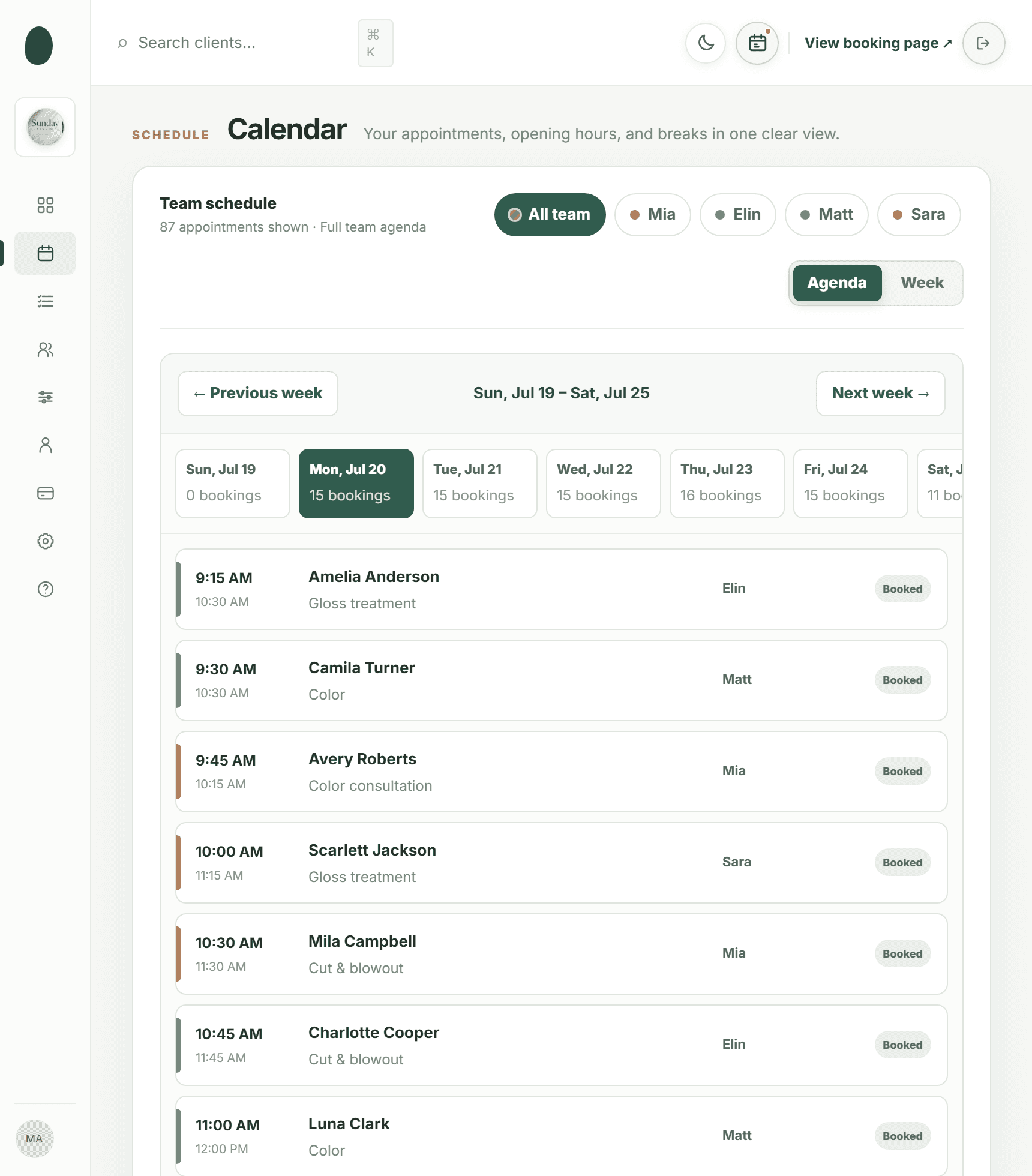
Use a booking system that checks availability against existing appointments, breaks, time off, and operating hours instead of relying on memory or a separate spreadsheet. Kevonia provides a branded booking page where clients choose a service, professional, date, and time. Its team calendar supports week and day views, professional filters, and color coding, while its availability rules and double-booking protection help keep online choices aligned with the schedule you have approved.
- Open the public booking page on a phone and desktop.
- Book a standard appointment, a long appointment, and an appointment close to closing time.
- Test a professional’s break, time off, and partial-day availability.
- Confirm that the right price, duration, deposit requirement, and professional options appear.
- Cancel or reschedule a test booking and verify that the calendar updates correctly.
5. Set deposits, cancellation rules, and a recovery process
Holiday appointments have a higher opportunity cost because a late cancellation may be difficult to replace. Decide whether to require a deposit for every appointment, only for high-demand services, or only for new clients and appointments above a certain length. Make the amount and deadline visible before the client completes the booking. A policy that is technically written but hidden from the client will still create disputes at the front desk.
Write down how the team should handle each outcome: timely cancellation, late cancellation, no-show, partial refund, service correction, and a client who wants to transfer an appointment to someone else. Keep the policy consistent, but leave room for a documented exception when there is an emergency. If a payment must be refunded, record why, who approved it, and whether the time can be offered to another client.
Kevonia connects online card payments and deposits through Stripe. From the booking itself, the salon can refund an online payment, see the Stripe processing fee shown on the refund, and trigger an automatic client email. That makes the real cost of a refund visible when you are deciding whether to make an exception during a busy period.
- Require confirmation for long, high-value, or group appointments.
- Use a waitlist or a manual text-and-call process for clients who want earlier openings.
- Keep a record of repeated no-shows and late cancellations.
- Do not promise that a deposit is refundable unless the policy and circumstances support it.
- Train every front-desk team member to explain the policy in the same calm, factual language.
6. Communicate earlier, more clearly, and through the right channel
Clients need more than a reminder that the holidays are coming. Tell them when holiday appointments open, which services have limited availability, how long appointments take, whether deposits apply, when your salon is closed, and how late changes are handled. Put the same information on your booking page, confirmation email, social profiles, and front-desk script so clients do not receive conflicting answers.
Send reminders that help clients act. A useful reminder includes the date, time, professional, service, location details, arrival instructions, cancellation deadline, and a direct way to reschedule or cancel. Kevonia sends an automatic email reminder the day before an appointment, and clients can reschedule or cancel from that email within the salon’s notice window. That can reduce avoidable phone traffic when the front desk is already handling check-ins and payments.
Do not rely on a single announcement. Use a sequence: early access or general availability notice, a reminder before the most requested dates fill, and a final message explaining that remaining openings are limited. Keep the wording specific rather than creating false urgency. If a time is genuinely unavailable, remove it from online booking instead of encouraging clients to request it and making the team negotiate every appointment manually.
7. Prepare supplies, the workspace, and safe working conditions
Make a supply list based on the services you expect to perform, not on a vague instruction to order more. Check color, developer, gloves, towels, disinfectant, waxing supplies, nail products, lash materials, disposable items, laundry capacity, receipt paper, and client refreshments. Confirm vendor ordering deadlines and identify a substitute only where the professional can use it safely and confidently. The SBA advises small businesses to order early because suppliers also face holiday pressure and late ordering can create rush costs.
Create a restock point for each workstation and a closing checklist for the end of every shift. Decide who checks laundry, disinfectant, waste, tools, chargers, retail displays, and restroom supplies. A five-minute reset between clients is easier when products have a defined location and someone owns the task.
Do not let higher appointment volume weaken workplace safety. OSHA says salon owners should make safety data sheets available for hazardous products and train workers on the hazards, protective measures, and spill procedures. Hair salons using products that may contain or release formaldehyde also need to address ventilation, protective equipment, training, and other requirements under applicable OSHA standards. Review the rules that apply to your state, services, and worker classification before the season begins.
- Inspect cords, hot tools, lighting, ventilation, and plumbing before peak weeks.
- Keep walkways, exits, and work areas clear when coats, bags, and gift items increase.
- Store chemicals according to label and safety-data-sheet instructions.
- Schedule cleaning and disinfection without assuming that a rushed turnover is adequate.
- Give staff a clear process for spills, exposure concerns, injuries, and equipment failure.
8. Use operations data to protect January revenue
The holiday season should not end with a full calendar followed by an empty January. At checkout, ask clients whether they want to reserve their next maintenance appointment. Use the client’s visit history and private notes to make the recommendation relevant: a color refresh, haircut interval, lash fill, facial series, massage cadence, or another service that naturally follows the appointment they just completed.
Track what happened while the details are fresh. Compare booked appointments with completed appointments, cancellations, no-shows, average service time, revenue by day, and the number of clients who booked again. Kevonia’s overview shows today’s revenue against the same day last week, appointment and client counts, recent no-shows, and a 30-day revenue chart that marks the best day. Those figures can help you review whether extended hours, deposits, or a limited menu actually improved the season rather than merely making the team busier.
Schedule a short debrief in early January. Ask each professional which services caused delays, which policies created confusion, which supplies ran short, and which appointment types were most profitable. Record the changes while the experience is recent so next year’s plan begins with useful operating knowledge instead of another round of guesswork.
Where Kevonia fits into your holiday preparation
Kevonia fits best when your main holiday problem is coordinating services, professionals, availability, client records, and payments in one workspace. It gives your salon or spa a branded online booking page that stays open 24/7, plus a team calendar, service menu, availability rules, client records, and Stripe payments. You can assign services to specific professionals, add cleanup or buffer time, protect breaks and time off, require optional deposits, and let clients manage eligible changes from their reminder email.
The difference is operational clarity rather than a collection of seasonal marketing tools. Kevonia does not currently provide retail or inventory POS, marketing or SMS campaign tools beyond the booking reminder email, a native mobile app, or multi-location management from one account. If you need those capabilities, you should account for them separately. If you need a straightforward booking and scheduling workspace, Kevonia has one plan at US$49.99 per month, with unlimited team members, bookings, clients, and services and no per-booking commission.
You can test the setup before making it part of your holiday workflow: Kevonia offers a free 14-day trial, no credit card is required to start, and you are never charged if you cancel before the trial ends. Use that time to build real services, enter holiday hours, test deposits, simulate cancellations, and have a team member complete a booking from the client side.
A final holiday-readiness checklist
Complete this check at least a few weeks before your busiest dates. If the answer to any item is no, assign an owner and a deadline instead of leaving it as a general intention.
- Reviewed last year’s demand, service mix, delays, cancellations, and no-shows.
- Set holiday opening hours, closure dates, professional schedules, and staff time-off limits.
- Confirmed service durations, processing times, cleanup buffers, prices, and professional assignments.
- Tested the online booking flow on a phone and desktop.
- Protected breaks, time off, closing time, and room or equipment constraints.
- Published deposits, cancellation, late-arrival, rescheduling, and refund policies.
- Checked supplies, vendor deadlines, laundry, tools, cleaning products, and safety documentation.
- Trained the team on the booking calendar, client communication, exceptions, and emergencies.
- Prepared reminder messages and a plan for filling legitimate cancellations.
- Created a January rebooking process and a date for reviewing the season’s results.
The goal is not to accept every possible appointment. The goal is to sell the capacity your team can deliver well, make the rules understandable, and leave enough structure for the unexpected. That is the practical answer to how to prepare your salon for the holiday season: plan from real data, configure the calendar precisely, protect the people doing the work, and make every appointment easier to manage.
Sources
Frequently asked questions
When should I start preparing my salon for the holidays?+
Start reviewing demand and staffing several weeks or months before your busiest dates. Begin with last year’s calendar and the most recent 30 to 90 days, then finalize holiday hours, time-off requests, service durations, deposits, and booking rules before opening the schedule. The earlier you test the client booking flow, the more time you have to correct errors without disrupting live appointments.
Should my salon extend its hours during the holiday rush?+
Only if the expected demand supports the added labor, supplies, cleaning, and operating costs. Look for specific patterns, such as full Saturday mornings or repeated requests for evening appointments, rather than extending every day automatically. If you add hours, protect breaks and set a maximum number of appointments per professional so longer hours do not create unsafe or unreliable service.
Should I require deposits for holiday appointments?+
Deposits can make sense for long, high-demand, high-value, group, or new-client appointments because a late cancellation may be difficult to replace. State the amount, payment timing, cancellation deadline, and refund conditions before the client books. Apply the policy consistently and train the team to explain it without improvising at check-in.
How can I prevent double bookings during the holiday season?+
Set accurate service durations, cleanup buffers, professional assignments, breaks, time off, holiday closures, and booking limits before clients book. Then test long services, appointments near closing, partial-day availability, and changes to existing appointments. A calendar that checks all of those constraints is safer than relying on a shared spreadsheet or memory.
What should I do if a client cancels at the last minute?+
Follow the written cancellation policy, record the outcome, and offer the opening through your approved waitlist or client-contact process. Avoid promising a refund or exception before checking the policy and payment details. After the season, review which services and time slots were most affected so you can adjust deposits, minimum notice, or scheduling rules.
What does Kevonia help with during the holiday season?+
Kevonia provides a branded 24/7 online booking page and a workspace with a team calendar, client records, service menu, availability rules, and Stripe payments. It supports professional assignments, cleanup or buffer time, breaks, time off, salon closures, deposits, reminder emails, client rescheduling and cancellation within the notice window, booking statuses, cancellation history, and refunds from the booking. It does not currently include retail or inventory POS, marketing or SMS campaigns beyond the booking reminder email, a native mobile app, or multi-location management from one account.
More from the blog

How to Close Your Salon for a Holiday Without Losing Clients
A holiday closure takes more than putting a note on the door. Use this practical checklist to protect appointments, payments, staff, and your first week back.

Salon Cash Flow: Keep Payroll Covered and Plan Slow Months
A practical system for tracking money in and out of your salon, protecting payroll, preparing for slow months, and finding the operational leaks that create cash shortages.

What to Say to Salon Clients: Scripts That Sound Human
The right words can calm an unhappy guest, set a clear boundary, and make rebooking feel natural. Use these salon client scripts as starting points, not rigid lines.