Salon KPIs: 15 Metrics Every Salon Should Track in 2026
The right salon KPIs show where your money, time, and clients are going. Use this practical guide to choose metrics, calculate them, and act on the results.

Key takeaways
- Track a small set of KPIs consistently instead of collecting numbers you never use.
- Revenue, utilization, rebooking, retention, no-shows, and average ticket reveal different parts of salon health.
- Compare each metric with your own past performance and set targets by service, professional, and time period.
- Use accurate booking and payment records so decisions are based on completed appointments, not guesses.
- Kevonia brings booking, calendar, client, service, payment, and selected performance data into one workspace.
What are salon KPIs, and which ones actually matter?
Salon KPIs are measurable signals that help you decide what to change. The phrase sounds more complicated than it is: a KPI might tell you whether your calendar is full, whether clients return, whether no-shows are costing you money, or whether a service earns enough for the time it occupies. The goal is not to build an impressive spreadsheet. The goal is to identify the few numbers that explain why your salon is growing, stalled, or losing margin.
Most owners searching for salon kpis want a usable dashboard and a way to interpret it. Start with revenue, appointments, average ticket, rebooking, retention, utilization, and no-shows. Then add service-level or professional-level measures only when they will support a specific decision. Recording revenue and expenses consistently is also fundamental to understanding cash flow and operating performance, which is why the U.S. Small Business Administration recommends keeping those records organized. (sba.gov)
The revenue and profitability KPIs to track first
Revenue is necessary, but total revenue alone can hide problems. A salon can bring in more money because it added hours, staff, or low-margin services while earning less per hour. Pair revenue with appointment volume, service duration, discounts, refunds, deposits, and operating costs so you can see whether growth is efficient.
Use the following calculations as a starting dashboard. Define each term once, keep the time period consistent, and avoid switching between gross sales and collected revenue from one report to the next.
- Total service revenue: add completed service charges for the period, excluding tips if tips are passed through to professionals.
- Revenue growth: (current-period revenue − previous comparable-period revenue) ÷ previous comparable-period revenue × 100.
- Average ticket: total service revenue ÷ completed appointments. Track this separately from tip average if tips are not salon revenue.
- Revenue per available hour: service revenue ÷ hours the salon or professional was available for appointments.
- Revenue per booked hour: service revenue ÷ hours reserved for appointments. This helps reveal whether long services are earning enough.
- Gross margin by service: (service price − direct service cost) ÷ service price × 100. Include product consumed, contractor commission, or other directly attributable costs where applicable.
- Refund rate: refunded appointment revenue ÷ collected appointment revenue × 100. Review the reason, not just the percentage.
For example, suppose a stylist completes 80 appointments and produces $8,000 in service revenue. The average ticket is $100. If the same stylist was available for 160 bookable hours, revenue per available hour is $50. Those two figures answer different questions: the first describes what clients spend per visit; the second tests whether the schedule and pricing make productive use of available time.
Do not treat a deposit as additional revenue when the client later pays the balance. Count the appointment once, then reconcile the payment method and any refund separately. Stripe explains that refund processing costs from the original transaction may not be returned, so refund rate can affect real collected revenue even when the appointment is removed from your sales total. (support.stripe.com)
The booking and calendar KPIs that expose capacity problems
A busy-looking calendar is not automatically a productive calendar. You need to distinguish available time, booked time, completed time, and time lost to gaps, cancellations, late arrivals, cleanup, or staff absence. These salon metrics to track are especially useful when you are considering longer hours, another professional, a price change, or a new service.
- Appointment utilization: booked service time ÷ available appointment time × 100. Calculate it by day, week, professional, and service category.
- Completion rate: completed appointments ÷ booked appointments × 100. Keep cancelled and no-show appointments visible rather than treating them as empty calendar space.
- Cancellation rate: cancelled appointments ÷ booked appointments × 100. Separate salon-initiated cancellations from client cancellations.
- No-show rate: no-show appointments ÷ booked appointments × 100. Also calculate the lost revenue associated with those appointments.
- Lead time to booking: average number of days between booking creation and appointment date. This helps with staffing and demand planning.
- Peak-hour fill rate: booked peak-period hours ÷ available peak-period hours × 100. A salon can have strong weekly utilization but weak evenings or weekends.
- Gap rate: unbooked gaps between appointments ÷ total bookable gaps or hours. Choose one definition and use it consistently.
A 90% utilization rate can still be unhealthy if it comes from short, low-priced services, unpaid cleanup time, or excessive overtime. Conversely, a 65% rate may be acceptable for a new salon, a premium service with high ticket value, or a schedule deliberately protected for same-week demand. Compare the metric with revenue per available hour and profit, not with an arbitrary industry number.
Accurate availability rules matter before you analyze utilization. Opening hours, breaks, time off, closures, booking windows, minimum notice, and service buffers all change the denominator. If those details are wrong, your KPI may blame the team for a scheduling configuration problem. A salon booking program should make the rules explicit enough to review rather than relying on a paper calendar or memory.
Client KPIs: retention, rebooking, and client value
Acquiring a first-time client is only one step. A healthy salon learns whether that person returns, how long the relationship lasts, and which services or professionals encourage repeat visits. These key performance indicators for salons are more useful when segmented by first visit month, service, professional, and acquisition source.
- New-client rate: first-time clients in the period ÷ all clients served in the period × 100.
- Repeat-visit rate: clients with at least one earlier visit who returned during the period ÷ eligible clients × 100.
- Rebooking rate: completed appointments where the client booked another appointment before leaving or within your chosen follow-up window ÷ completed appointments × 100.
- Client retention rate: clients active at the start of the period who visited again during the period ÷ clients active at the start of the period × 100.
- Average visit frequency: total completed visits for a client group ÷ number of clients in that group during the measurement period.
- Client lifetime value: average revenue per visit × average visits per client relationship. Use a margin-based version when you know direct costs.
- Revenue concentration: revenue from your largest client group, service, or professional ÷ total revenue × 100. High concentration can indicate risk as well as loyalty.
Define “retained” carefully. A client who normally visits every six weeks should not be labeled lost after four weeks. Set an expected return window by service: a blowout may have a short interval, while color, skin, or wellness services may have a longer one. Review a cohort—clients who first visited in the same month—so a recent flood of new bookings does not make retention look better than it is.
If rebooking is weak, inspect the process before offering a discount. Did the professional recommend a realistic next appointment? Was the next opening too far away? Could the client book online without calling? Kevonia’s client-record workspace keeps visit history and private notes together, which can help a team prepare for the next conversation. For a deeper retention workflow, see the practical guide on how clients rebook.
Staff and service KPIs without creating unhealthy competition
Professional-level data can improve coaching and scheduling, but it can also create bad incentives if used carelessly. A stylist with fewer appointments may be handling longer services, new-client consultations, training, or complex corrections. Compare like with like and discuss the operating context before drawing conclusions.
- Bookings per professional: count booked appointments by professional for the same period and service mix.
- Completed revenue per professional hour: completed service revenue ÷ hours actually worked or available, depending on the question.
- Utilization by professional: booked service time ÷ that professional’s available appointment time × 100.
- Average ticket by professional: completed service revenue ÷ completed appointments. Review alongside service mix and pricing authority.
- Rebooking by professional: returning or rebooked clients attributable to that professional ÷ eligible completed appointments.
- No-show and cancellation rate by professional: compare only after checking whether the professional serves a different client segment or appointment type.
- Service demand: bookings for a service ÷ available slots for that service. Use it to decide whether to adjust pricing, duration, or staffing.
A fair review uses a minimum sample size. Do not change a service or criticize a professional because of one slow Tuesday or five appointments. Look at at least four comparable weeks, then investigate outliers. If one service has high demand but low revenue per hour, test a higher price, shorter process, or better buffer before simply adding more appointments.
Service duration is part of the KPI. A $90 service taking 45 minutes and a $140 service taking 100 minutes should not be judged only by price. A hair salon booking software setup can keep duration, cleanup or buffer time, price, and professional assignment connected to the service menu, making capacity comparisons more realistic.
No-shows, cancellations, deposits, and payment KPIs
Appointment reliability has a direct financial effect: an empty two-hour block cannot always be sold after the fact. Track behavior by client, service, booking channel, day, and notice period. The purpose is not to punish every cancellation; it is to identify preventable capacity loss and apply a consistent policy.
- No-show revenue at risk: price of missed appointments, or expected collected revenue after applying your deposit policy.
- Late-cancellation rate: cancellations inside your notice window ÷ booked appointments × 100.
- Deposit coverage: appointments with a deposit ÷ appointments eligible for a deposit × 100.
- Deposit collection rate: deposits successfully collected ÷ deposits requested × 100.
- Payment completion rate: appointments marked completed with payment recorded ÷ completed appointments × 100.
- Refund rate by reason: refunds grouped by client cancellation, service issue, duplicate payment, or salon-initiated change.
- Recovery rate: cancelled or no-show slots later filled ÷ cancelled or no-show slots that were still available to recover.
Do not mix a no-show with a same-day cancellation when deciding what action to take. A client who cancels three hours before a service gives you some chance to fill the slot; a no-show gives you less information and may require a different reminder or deposit rule. Review cancellation history alongside the client record, and document exceptions so the front desk applies the policy consistently.
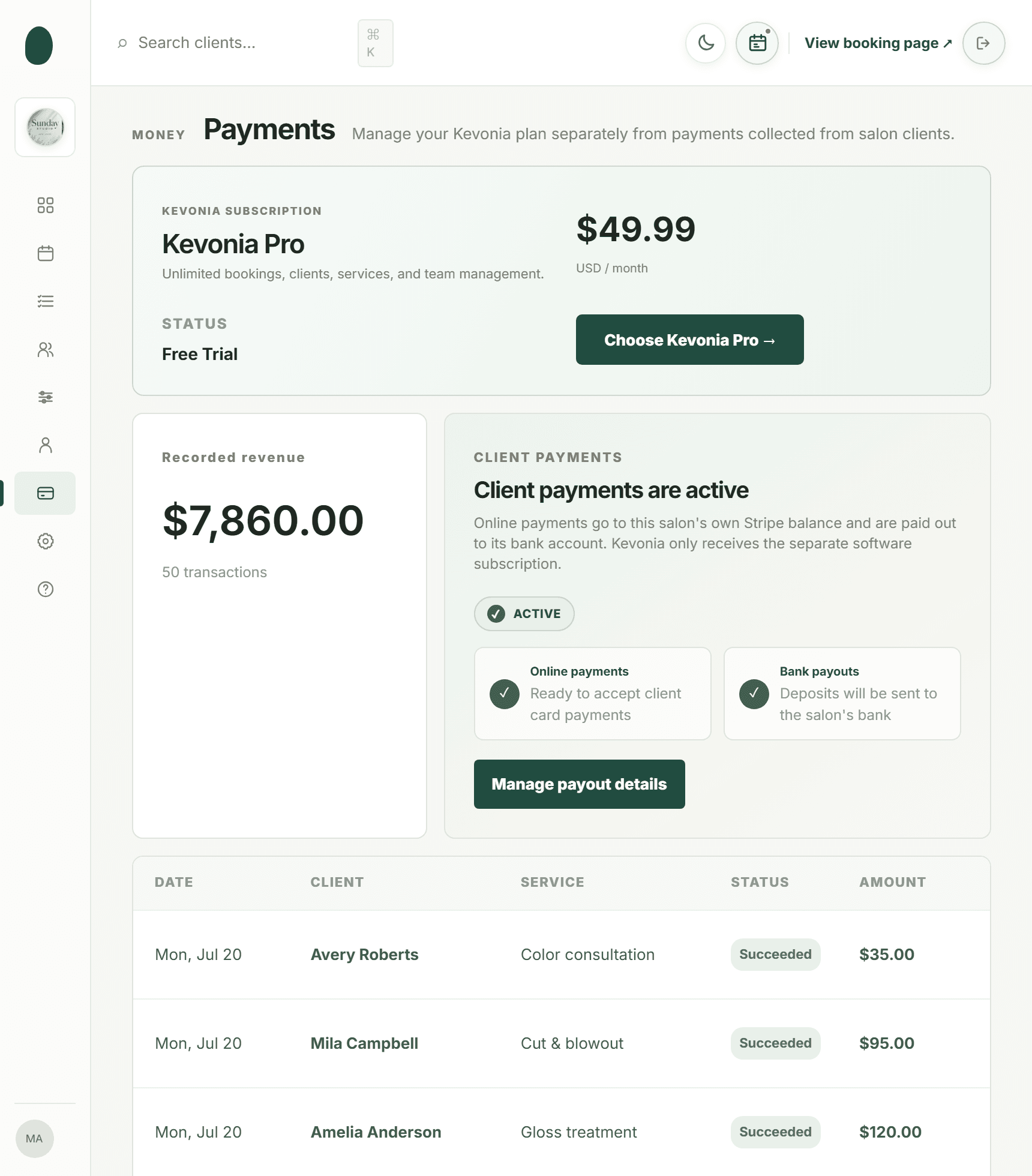
Kevonia supports optional deposits through Stripe, appointment statuses such as booked, completed, no-show, and cancelled, and cancellation history with restore. The booking itself can be used to issue a refund, with the Stripe processing fee on the refund shown so the salon can see the real cost. Clients also receive an automatic email when a refund is issued. This makes payment leakage easier to review, although your salon still decides its notice and deposit rules.
Where Kevonia fits into a salon KPI system
Kevonia is most useful when the problem is fragmented operational data: bookings in one place, availability in another, client notes somewhere else, and payment details that are difficult to reconcile. It provides a branded online booking page plus a workspace with a team calendar, client records, service menu, availability rules, and Stripe payments. That gives an owner a consistent source for many of the booking, client, service, and payment inputs used in salon kpis.
Its overview screen shows today’s revenue against the same day last week, appointments, how many appointments were booked in the last 30 days, total and new clients, no-shows as a percentage of the last 30 days’ bookings, and a 30-day revenue chart that marks the best day. Revenue figures can be hidden for front-desk use. These are useful operating signals, not a replacement for full accounting or a custom profitability model.
The practical difference is that the underlying schedule is configurable: per-professional filters and color coding help inspect the calendar, while double-booking protection checks hours, breaks, time off, and existing bookings. Service records can include duration, cleanup or buffer time, price, optional deposit, and professional assignment. Those details reduce the risk of calculating utilization from an unrealistic calendar.
Kevonia has one plan at US$49.99 per month, with no feature tiers, add-on pricing, per-booking commission, or per-seat charge. It includes unlimited team members, bookings, clients, and services. The trial is free for 14 days, requires no credit card to start, and can be cancelled any time before it ends so you are never charged. It is designed for salons and spas as well as barbershops, tattoo studios, nail salons, med spas, esthetician and lash studios, beauty clinics, wellness and yoga studios, and massage therapists. For more detail, see Kevonia's salon and spa management software.
How to build a KPI routine your team will actually use
A KPI system fails when it requires hours of manual reporting or produces numbers no one can act on. Begin with a short operating rhythm: daily checks for schedule and payment issues, a weekly review for capacity and client behavior, and a monthly review for pricing, staffing, and profitability.
- Choose seven core KPIs: revenue, average ticket, utilization, completed-appointment rate, rebooking, retention, and no-show rate.
- Write a one-sentence definition for each metric. Specify whether tips, taxes, refunds, deposits, cancelled appointments, and staff time are included.
- Set a baseline using the last four comparable weeks or the last three full months if your business is seasonal.
- Set one target and one action for each KPI. For example, if peak-hour utilization is low, test a new availability rule before hiring.
- Assign an owner for data quality. Someone must correct statuses, prices, durations, and payment records promptly.
- Review trends, not isolated results. Use the same comparison period and annotate closures, holidays, promotions, weather disruptions, and staffing changes.
- Run a monthly decision meeting. Keep, change, or stop one operational action based on the evidence.
A simple weekly review might find that revenue rose 8%, but average ticket fell 6%, no-shows increased, and the strongest professional has fewer peak-hour openings. The correct response may be to protect that professional’s high-demand slots, improve deposit coverage, and review service pricing—not to celebrate revenue growth alone. Use the numbers to form a testable hypothesis, then check whether the next period supports it.
Keep a short KPI glossary in the salon workspace. New team members should know what counts as completed, cancelled, no-show, rebooked, and retained. Consistent definitions matter more than a sophisticated dashboard because a trend is only useful when the underlying records mean the same thing every time.
Common salon KPI mistakes to avoid
The most common mistake is tracking everything and managing nothing. A long report can make an owner feel informed while hiding the one issue that needs attention. Choose metrics that connect to decisions, and remove any measure that never changes what you do.
- Using revenue as profit. Revenue does not account for payroll, rent, product cost, payment fees, taxes, refunds, or other expenses.
- Comparing unlike periods. Compare Monday through Sunday with Monday through Sunday, and account for holidays, closures, and unusual staffing.
- Counting bookings instead of completed visits. A full calendar can still contain cancellations and no-shows.
- Ignoring service duration. Price per appointment is not the same as revenue per hour.
- Blaming professionals for bad data. Incorrect availability, missing breaks, and stale service durations distort utilization.
- Setting a retention target without an expected visit interval. Different services have different natural return cycles.
- Treating every client the same. A first-time color client, a weekly barber client, and a seasonal spa client should not share one retention assumption.
- Changing several variables at once. If you raise prices, change hours, introduce deposits, and launch a promotion together, you will not know what caused the result.
Also avoid turning KPIs into a public leaderboard. Use individual data for coaching and schedule planning, but discuss context privately. A metric should improve decisions and client experience, not encourage rushed services, unnecessary add-ons, or pressure that damages trust.
FAQ: salon KPIs owners ask before choosing software
The best KPI tool is the one that matches how your salon operates and how much detail you can maintain. These answers address the practical questions owners usually have before building a dashboard.
Sources
- U.S. Small Business Administration — Manage your business
- Stripe — Understanding fees for refunded payments
- Stripe Documentation — Refund and cancel payments
- Kevonia
- Kevonia — Hair salon booking software
- Kevonia — Salon booking program
- Kevonia — Spa booking software
- Kevonia — Salon reservation software
- Kevonia — Live demo
- Kevonia blog — How to get clients to rebook
Frequently asked questions
What are the most important salon KPIs for a small salon?+
Start with seven: total service revenue, average ticket, appointment utilization, completed-appointment rate, rebooking rate, client retention, and no-show rate. Add revenue per available hour if you need to decide whether to extend hours or hire. A small salon usually gets more value from consistent definitions and weekly review than from tracking dozens of advanced measures.
How often should a salon review its KPIs?+
Check operational exceptions daily, including no-shows, cancellations, payment problems, and unfilled gaps. Review booking, utilization, average ticket, and rebooking weekly. Review retention, service profitability, staffing, and pricing monthly. Use comparable periods and annotate closures or promotions so a single unusual week does not drive a major decision.
What is a good salon utilization rate?+
There is no universal target that works for every salon. The right level depends on service length, pricing, cleanup time, professional availability, seasonality, and how much capacity you want for urgent or same-week appointments. Compare utilization with revenue per available hour, completed appointments, and profit. A high utilization rate can still be weak if the booked services are underpriced or create overtime.
Should tips be included in salon revenue KPIs?+
Usually, report salon service revenue separately from tips when tips are passed through to professionals. If your accounting treatment is different, document it and use the same rule every period. The important point is consistency: do not compare one month using revenue including tips with another month excluding them.
How should I calculate salon client retention?+
Choose a starting group and a realistic return window. For example, take clients who visited during January and calculate how many returned by the end of March. Use a different expected interval for haircuts, color, nails, skin treatments, and wellness appointments. Cohort reporting is more informative than labeling every client inactive after an arbitrary number of weeks.
Can salon booking software track KPIs automatically?+
It can automate parts of the process when bookings, statuses, availability, client records, services, and payments are recorded in the same system. You still need accurate setup and consistent team behavior. Kevonia provides a branded booking page, team calendar, client records, service menu, availability rules, Stripe payments, and an overview with selected revenue, appointment, client, no-show, and 30-day revenue measures. It does not replace accounting or every custom KPI calculation.
More from the blog

Salon Cash Flow: Keep Payroll Covered and Plan Slow Months
A practical system for tracking money in and out of your salon, protecting payroll, preparing for slow months, and finding the operational leaks that create cash shortages.

How Much Rent Can a Salon Afford in 2026?
There is no single rent number that works for every salon. Use your realistic revenue, total occupancy cost, staffing model, and break-even point to set a safe monthly limit.

Google Ads for Salons: A Practical 2026 Guide
A practical guide to Google Ads for salons: campaign setup, local targeting, keywords, budgets, landing pages, conversion tracking, and the numbers that decide whether your ads are profitable.