Why Clients Don’t Finish Booking Online: 9 Fixes
Clients may want the appointment but still abandon the booking page. Learn how to find the friction, fix the biggest problems, and recover more completed bookings.
Key takeaways
- Most unfinished bookings come from friction, uncertainty, technical problems, or a mismatch between the service and the client’s needs—not simply a lack of interest.
- The fastest improvements are usually clearer service names, fewer decisions, transparent pricing, accurate availability, and a booking flow that works properly on a phone.
- Measure where clients leave before changing everything at once.
- Test the booking experience as a first-time client and fix the exact step that creates hesitation.
Why clients don’t finish booking online
If clients choose a service, select a team member, or reach the payment step and then disappear, the problem is not always that they changed their mind. They may be confused by the service menu, unable to find a suitable time, surprised by a deposit, unsure whether the page is secure, or stuck on a phone-sized form.
The practical question is not only why clients don't finish booking online. It is where they stop, what they expected to happen next, and whether your booking process made the next step obvious. Start there, then make one change at a time so you can see what improves completed appointments.
The nine most common reasons bookings are abandoned
Online booking is a short sales process. A client has to understand the service, trust the salon, find an acceptable time, provide contact details, and sometimes pay a deposit. Any unnecessary obstacle can interrupt the decision. Research into online checkout behavior consistently identifies complicated forms, hidden costs, technical errors, forced account creation, security concerns, and limited payment options as common causes of abandonment. Salon bookings have different details than retail purchases, but the same principle applies: every extra moment of uncertainty creates a chance to leave.
- The service menu uses vague names, overlapping options, or too many variations.
- The client cannot tell how long the service takes or what it costs.
- The booking page shows no acceptable times because availability rules are inaccurate.
- The client must make too many choices before seeing an appointment time.
- A deposit or cancellation condition appears too late.
- The form asks for information that does not seem necessary.
- The page is difficult to use on a phone, especially while the client is multitasking.
- A payment error, loading problem, or unclear message makes the client unsure whether the booking worked.
- The client is not ready to book yet and leaves to compare prices, ask someone else, or check their schedule.
The last reason matters because not every abandoned booking is recoverable. Some people are browsing or checking availability without strong intent. Your goal is not to force every visitor to book. Your goal is to remove preventable friction for people who already want the appointment.
Find the exact point where clients leave
Before rewriting your service descriptions or changing payment settings, map your booking journey. Write down every step a client sees: landing on the page, choosing a service, selecting a professional, choosing a date, choosing a time, entering contact details, accepting policies, paying a deposit, and seeing confirmation. Then identify the step where the process becomes less clear or less attractive.
You can do this without advanced analytics. Ask three recent clients how they booked and whether anything felt confusing. Watch a friend complete a booking while saying what they expect to happen. Try the process yourself in a private browser window on both a desktop and a phone. Test a new client, a returning client, a short service, a long service, and a booking that requires a deposit.
- If people leave before selecting a service, the page, link, load time, or first screen may be the problem.
- If they select a service but do not choose a time, review the service setup, professional assignment, duration, and availability.
- If they choose a time but do not submit their details, simplify the form and explain why each required field matters.
- If they reach payment and leave, inspect the deposit explanation, total price, payment experience, error handling, and trust signals.
- If they complete payment but contact the salon because they are unsure whether the appointment exists, improve the confirmation message and email.
Keep a simple weekly record of booking starts, completed bookings, payment failures, and questions received by phone or direct message. A pattern such as many questions about deposits or repeated requests for a service that is missing online is more useful than a general feeling that bookings are down.
Make the service menu easy to understand
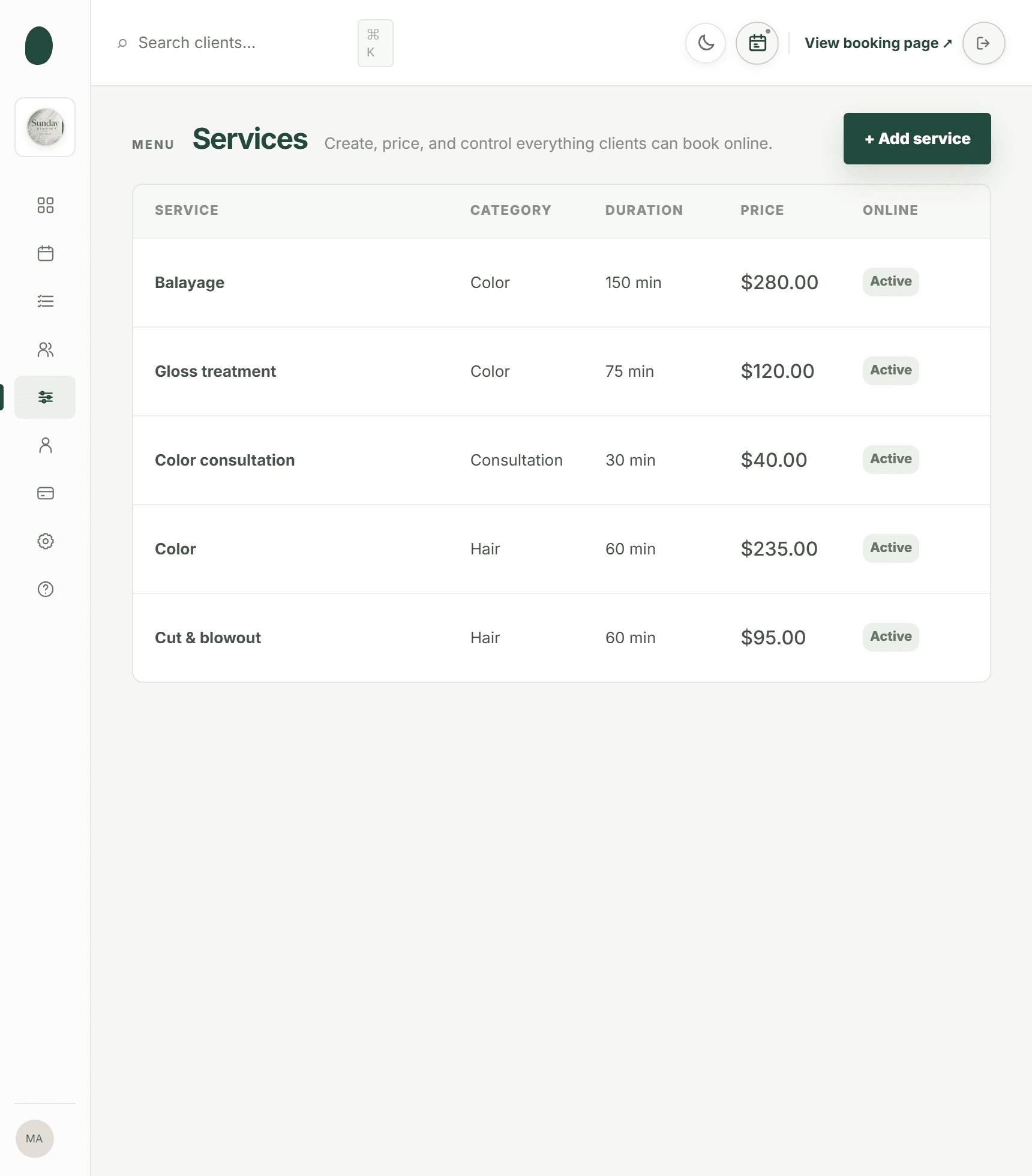
A client should know what to choose without texting the salon first. Use names that match the words clients already use, then add a short explanation of what is included. “Full highlight with toner” is more useful than “Signature blonde experience” if the customer is trying to compare a specific service. If a service requires consultation, say so before the client reaches the calendar.
Show the duration and price beside the service whenever possible. If the price varies, explain the reason in plain language, such as length, product usage, or consultation outcome. Do not make a client select several add-ons just to estimate the total. Optional upgrades should be clearly optional, not hidden requirements.
- Group services by customer goal: haircuts, color, nails, lashes, massage, facials, or packages.
- Separate new-client services from maintenance appointments when the time or process is different.
- Use one service for one clear outcome instead of several nearly identical choices.
- Include cleanup or buffer time in the appointment duration rather than surprising the next client or moving the schedule later.
- Assign each service only to professionals who actually perform it.
- Review the menu after adding a new service and remove outdated or duplicate options.
A well-organized service menu is one of the most important parts of hair salon booking software, but the same setup matters for barbershops, nail salons, spas, tattoo studios, and wellness businesses. The booking page should help the client make a confident choice, not make them decode your internal terminology.
Show useful availability instead of a dead end
Clients often start booking but don't finish because the calendar does not offer a workable appointment. That can mean there are genuinely no openings, but it can also mean your setup is blocking times incorrectly. Check opening hours, staff breaks, time off, salon closures, service duration, cleanup time, booking window, minimum notice, and time-slot interval.
Test availability from the client’s point of view. Pick a service that should be available tomorrow, a service that needs more time, and a service performed by only one professional. Compare the online options with the team calendar. If the calendar shows an opening that the booking page hides, or the page offers a time that conflicts with a break, fix the rule before promoting the link again.
- Confirm that every professional has the correct working days and hours.
- Check that breaks and time off are not entered as full-day closures by mistake.
- Make sure the service duration includes processing, cleanup, or setup time.
- Review minimum notice if clients frequently say tomorrow’s openings are missing.
- Review the booking window if clients cannot schedule far enough ahead.
- Use a practical time-slot interval so clients see enough choices without an unnecessarily crowded calendar.
Do not solve a full calendar by opening times you cannot reliably honor. A client who books an impossible slot and receives a correction call has a worse experience than a client who sees no availability and contacts the salon. Accurate availability builds trust and reduces manual follow-up.
Reduce hesitation around deposits and payment
Deposits can protect a salon from no-shows, but a surprise charge can stop a booking that otherwise would have been completed. Put the deposit amount, whether it is part of the service price, and the relevant cancellation timing near the service or before the client enters payment details. Avoid wording that makes the client wonder whether they are paying twice.
Use a clear final summary: service, professional, date, time, full price, deposit charged now, and remaining balance if applicable. Stripe’s checkout guidance emphasizes transparent totals, concise forms, useful error feedback, and mobile-friendly payment flows because uncertainty at the final step can undermine confidence. Those ideas are directly relevant when a salon asks for a card or deposit online.
- Explain the deposit before the payment field, not only after a card is entered.
- Show the amount the client will be charged today.
- Use a specific button label such as “Pay deposit and book” instead of a vague label such as “Continue.”
- Give a helpful response when payment fails and preserve the client’s selected appointment when possible.
- Make the confirmation unmistakable so the client knows whether the payment and appointment succeeded.
- Keep the cancellation and rescheduling rules easy to find.
For salons using Kevonia, card payments and optional deposits are handled through Stripe, with payouts going to the salon’s bank account. The salon can also refund an online payment from the booking itself, while the Stripe processing fee on the refund is shown so the real cost is visible. That clarity helps the owner manage exceptions without making the client guess what happened.
Design for the phone in a real-life situation
Many clients book while standing in line, commuting, caring for a child, or switching between messages and the browser. A booking page that looks acceptable on a large monitor can still fail when buttons are small, fields are crowded, the keyboard covers the next step, or the page takes too long to load.
Open your booking page on several phones, not only the device used by the owner. Tap every service, scroll through the calendar, enter a phone number, trigger a validation error, and complete a test payment. Stripe recommends testing mobile checkout for touch-friendly fields, logical input order, fast loading, real-time validation, and fewer typing demands. You can apply the same checklist to an appointment flow.
- Use a single-column layout where the next action is easy to find.
- Make buttons large enough to tap without hitting a neighboring control.
- Keep service names and prices visible without excessive scrolling.
- Avoid opening unnecessary pop-ups or sending the client away from the booking page.
- Check that the calendar is usable with one hand and does not require tiny arrows.
- Test on cellular data as well as Wi-Fi.
- Make error messages specific: explain what needs correction and how to fix it.
If the booking link is buried in an Instagram profile, Google Business Profile, or an old website button, some clients may also abandon before the process really begins. Use one current, branded destination and make sure the link opens directly to booking. Kevonia provides a branded online booking page that stays available 24/7, so a client can move from service selection to professional, date, and time without waiting for a reply.
Where Kevonia fits for salons and spas
Kevonia fits when the problem is a disconnected or overly manual booking process. It combines a branded online booking page with a workspace for the team calendar, client records, service menu, availability rules, and Stripe payments. The client-facing sequence is service, professional, date, and time; the salon controls the rules that determine which slots can be offered.
The difference is not that software can persuade every visitor to book. It is that the salon can make the available choices more accurate and easier to understand. Kevonia checks potential double bookings against hours, breaks, time off, and existing appointments. It also supports per-professional service assignment, multiple breaks, salon closures, minimum notice, booking windows, and time-slot intervals. Those controls address common reasons a client sees no usable appointment or receives an option the team cannot actually honor.
After a booking, Kevonia can send an automatic email reminder the day before. Within the salon’s notice window, clients can reschedule or cancel from that email. The salon can review client history and private notes, see booking statuses such as awaiting payment or booked, and maintain a cancellation history with restore. These details do not remove the need for good service descriptions or mobile testing, but they reduce the number of steps your team has to manage manually.
Kevonia has one plan at US$49.99 per month, with unlimited team members, bookings, clients, and services and no per-booking commission. The trial is free for 14 days, requires no credit card to start, and can be canceled anytime before the trial ends without a charge. Those terms may make it practical to test the complete client journey with your own services and availability rather than judging the system from a screenshot.
Fix the booking flow in the right order
Do not change your prices, service menu, booking software, and marketing links at the same time. You will not know which change helped. Use a short improvement cycle: observe, fix the largest obstacle, test, and compare completed bookings with the previous period.
- Complete five test bookings on a phone, including one deposit booking and one booking for a professional with limited availability.
- Remove duplicate services and rewrite any name that requires staff explanation.
- Confirm that every online service has the right price, duration, professional assignment, and availability.
- Move deposit and cancellation information earlier in the process.
- Check the payment failure experience and confirm that successful payments produce a clear confirmation.
- Place the booking link on the website, social profiles, and business listings, then test every link.
- Ask three clients who recently booked whether any step felt slow, unclear, or unexpected.
- Track starts, completions, payment failures, cancellations, and direct questions for the next two to four weeks.
Prioritize the issue that affects the most people and requires the least effort to correct. If clients cannot find a service, rewriting the confirmation email will not help. If they reach payment but hesitate over an unexplained deposit, redesigning the Instagram bio will not solve the main problem.
Mistakes that create more online booking drop off
Some well-intended changes make booking harder. Owners often add every possible service, require a consultation for choices that do not need one, hide prices to encourage phone calls, or use internal staff language that clients do not understand. Others keep adding fields because the information may be useful later, even though it is not needed to reserve the appointment.
- Do not show unavailable professionals as if they can perform the selected service.
- Do not use “from” pricing without explaining what changes the final price.
- Do not require a client to create a separate account merely to request an appointment.
- Do not place a deposit condition only in a policy page that few clients will open.
- Do not leave old services, former employees, or incorrect working hours active.
- Do not treat every abandoned booking as a marketing failure.
- Do not assume desktop testing represents the experience on a phone.
- Do not hide a failed payment behind a generic error such as “Something went wrong.”
The best booking flow feels calm and predictable. It tells the client what the service is, what it costs, when it is available, what will be charged now, and what happens next. When those answers are visible, clients have fewer reasons to stop and ask for help.
Frequently asked questions
The right fix depends on where clients leave. Use these questions to narrow the diagnosis before changing your entire booking system.
Sources
Frequently asked questions
Why do clients abandon an online salon booking at the calendar?+
Usually because the available times do not match their needs or because the availability setup is too restrictive. Check staff hours, breaks, time off, service duration, cleanup time, minimum notice, booking window, and time-slot interval. Also confirm that the selected professional is assigned to the service. If the calendar is genuinely full, give clients a clear way to contact the salon or join whatever waitlist process you use rather than leaving them at a dead end.
Should I require a deposit for every online appointment?+
Not necessarily. A deposit can reduce the financial impact of no-shows, but it can also create hesitation if the amount, timing, and cancellation rules are unclear. Consider your no-show history, service value, and client mix. If you use deposits, show the amount charged today and explain how it relates to the final service price before payment. Test whether clients understand the policy without needing to call.
How can I tell whether the problem is my booking page or my marketing?+
Look at the stage where people stop. If few people open the page, improve the placement and wording of the booking link. If many open it but few select a service, review the first screen and service menu. If clients select a service and time but do not submit, inspect the form, deposit explanation, and payment step. Ask clients who completed a booking what almost stopped them; their answers often reveal friction that analytics cannot explain.
What should an online booking page show before asking for payment?+
Show the service name, professional, date, time, full price, deposit amount charged now, remaining balance if applicable, and the main cancellation or rescheduling condition. The client should not have to search another page to understand the commitment. Use a clear button label and a specific error message if payment fails. After success, display a confirmation with the appointment details and send the same information by email.
Can a booking system fix unfinished bookings by itself?+
No. Software can remove common sources of friction, such as inaccurate availability, double-booking conflicts, unclear status, or manual confirmation delays, but it cannot replace clear services, sensible policies, or mobile testing. A good system gives you better controls and a more consistent client journey. You still need to test the page as a first-time client and review where people leave.
How does Kevonia help reduce abandoned bookings?+
Kevonia gives a salon a branded 24/7 booking page where clients choose a service, professional, date, and time. The workspace includes a team calendar, service menu, availability rules, client records, and Stripe payments. Availability is checked against hours, breaks, time off, closures, and existing bookings. The salon can also use optional deposits, automatic reminder emails, and client rescheduling or cancellation within the salon’s notice window. These tools help reduce preventable friction, but the salon should still keep its service names, prices, policies, and availability accurate.
More from the blog

Online Booking System for Salons: 2026 Setup Guide
A practical, no-fluff guide to choosing and setting up an online booking system for salons — what it should do, how to configure it, and mistakes to avoid.

Where to Share Your Salon Booking Link in 2026
Your booking link only works when clients can find it at the moment they decide to book. Here are the best places to share it and how to prioritize them.

Squire Alternative: When a Leaner Booking System Fits Better
SQUIRE is built for full barbershop operations. Kevonia is a simpler flat-cost alternative when your priority is branded booking, scheduling, payments, and client records without per-seat or per-booking charges.