Acuity Scheduling Alternative: What Salon Owners Should Compare
Looking for an Acuity Scheduling alternative? Compare Acuity with Kevonia on pricing, booking fees, salon workflows, team scheduling, payments, and switching risks.

Key takeaways
- Acuity Scheduling is a capable general appointment platform, but its plan structure and feature depth may be more than a small salon needs.
- Kevonia combines a branded booking page, salon-focused calendar controls, client records, Stripe payments, and unlimited team members under one US$49.99/month plan.
- The best choice depends less on the cheapest advertised price and more on whether your business needs packages, gift certificates, multi-location support, or a straightforward salon workflow.
- Before switching, test your busiest services, staff availability rules, deposits, cancellations, and client rescheduling—not just the booking page.
| Tool | Starting price | Commission or booking fees | Standout features | Best fit |
|---|---|---|---|---|
| Acuity Scheduling | US$16/month annually or US$20/month monthly for Starter | No Acuity booking commission stated on the pricing page; payment-processor charges may apply | One calendar on Starter; higher plans add more calendars, text reminders, waitlists, packages, memberships, gift certificates, and other advanced tools | Solo professionals and businesses needing broad appointment, client-engagement, and commerce features |
| Kevonia | US$49.99/month | 0% booking commission; Stripe payment-processing charges may apply | Branded booking page, team calendar, professional-specific services, detailed availability rules, client records, deposits, Stripe payments, reminder emails, cancellation history, and unlimited team members, bookings, clients, and services | Salons and spas that want a focused team booking workspace with predictable pricing |
You probably want a salon booking system, not just another calendar
If you searched for an acuity scheduling alternative, you are probably asking a practical question: what can replace Acuity without making online booking, staff calendars, deposits, reminders, and client records harder to manage? For a salon or spa, the answer is not automatically the cheapest scheduler. It is the system that handles the awkward cases your front desk sees every week.
Acuity Scheduling remains a serious option for service businesses. Its current plans include online booking, client forms, payments, email reminders, and calendar management, while higher tiers add features such as text reminders, waitlists, packages, memberships, gift certificates, and more calendars. Kevonia takes a narrower salon-management approach: one plan, a branded booking page, a team workspace, availability rules, client records, and Stripe payments.
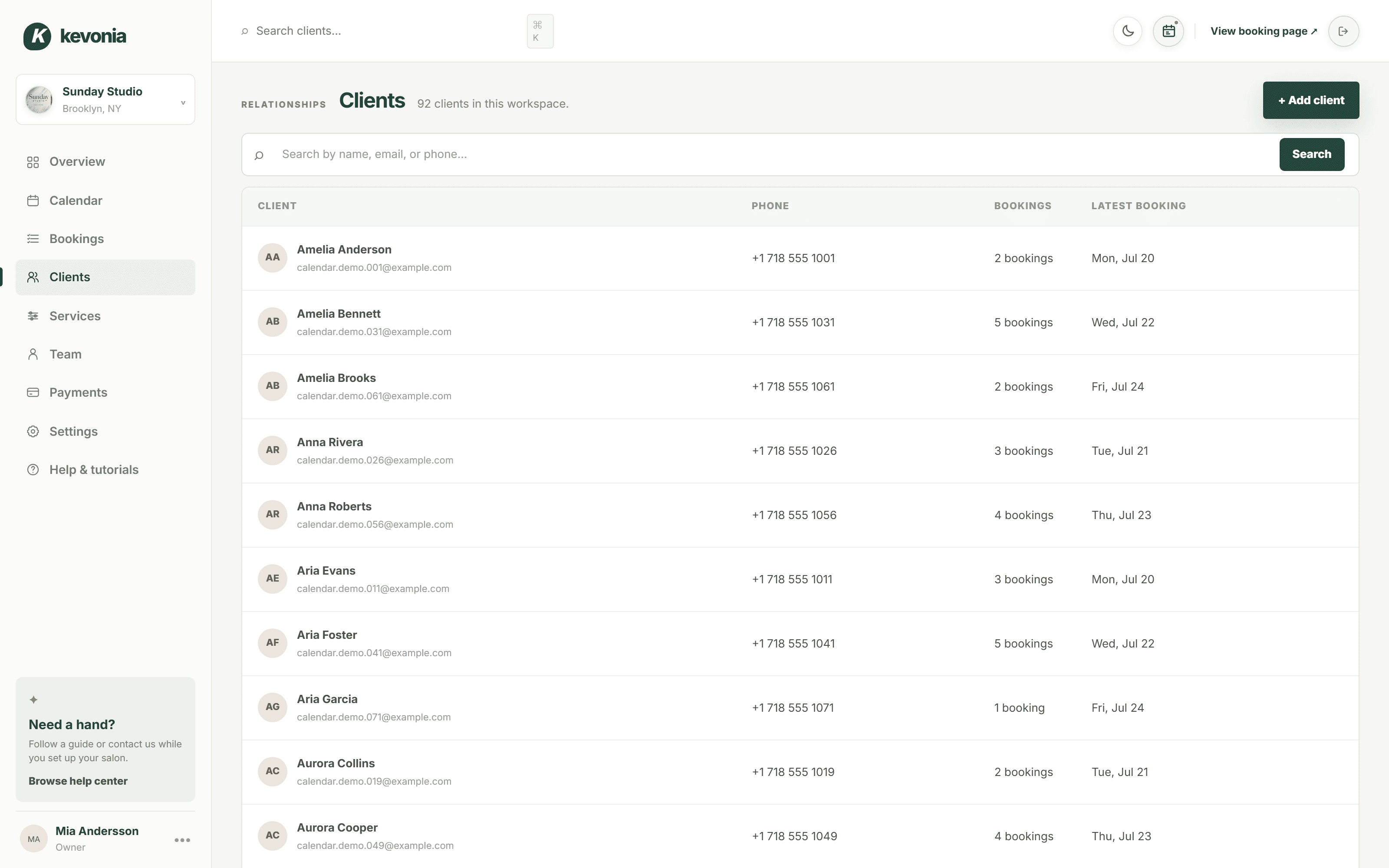
Acuity Scheduling vs. Kevonia at a glance
Acuity starts at US$16 per month when billed annually or US$20 per month when billed monthly for its Starter plan, which includes one calendar. Its Standard plan is US$27 per month annually or US$34 monthly for up to six calendars, and Premium is US$49 per month annually or US$61 monthly for up to 36 calendars. Acuity does not currently offer a permanently free plan; it offers a seven-day trial without requiring a credit card. The pricing page lists payments through Stripe, Square, PayPal, and Venmo, but payment-processor charges are separate from the subscription price.
Kevonia has a single US$49.99/month plan with no feature tiers, add-on pricing, per-booking commission, or per-seat charge. It includes unlimited team members, bookings, clients, and services. The trial is free for 7 days, no credit card is required to start, and you are never charged if you cancel anytime before the trial ends. Card payments and deposits run through Stripe, with payouts sent to the salon's bank account.
Comparison table: which platform fits the way you run appointments?
The table is useful for narrowing the decision, but do not treat the starting price as the whole answer. Acuity's entry plan is cheaper for a solo professional with one calendar. Kevonia becomes easier to budget when you have several professionals and want the same feature set without moving people between seat or calendar tiers. The more important question is whether your salon needs Acuity's broader business features or Kevonia's more focused operating workflow.
What Acuity does well—and where salon owners may feel friction
Acuity is strong when you need a flexible appointment platform that can serve different kinds of businesses. It supports branded booking pages, embedded scheduling, client intake forms, deposits and payments, automated email reminders, recurring appointments, packages, subscriptions, gift certificates, waitlists, staff calendars, and calendar synchronization. Its availability controls can handle buffers, service-specific hours, appointment limits, blocked time, and rules intended to reduce gaps between bookings.
That breadth is useful, but it creates two common sources of friction. First, the feature you need may sit on a higher plan: text reminders, waitlists, packages, memberships, gift certificates, more calendars, and some customization are not available on Starter. Second, a salon may end up configuring a general scheduling system around its own service logic instead of starting with a workflow built around professionals, cleanup time, salon closures, no-shows, and booking permissions.
- Choose Acuity when packages, memberships, gift certificates, waitlists, multiple locations, or a mobile admin app are central to your business.
- Question the fit when your main need is a clean salon booking page, a team calendar, service buffers, staff time off, deposits, reminders, and client history.
- Check the plan before migrating: one calendar may be enough for a solo esthetician but not for a salon where clients must choose among several professionals.
- Do not assume a cheaper starting tier stays cheaper after adding the calendars and engagement tools your team actually needs.
Where Kevonia fits for salons, spas, and beauty teams
Kevonia fits owners who want an acuity scheduling alternative centered on appointment operations rather than a broad platform ecosystem. Its branded booking page is open 24/7, and clients choose a service, professional, date, and time. Behind that page is a workspace with a week and day team calendar, per-professional filters, color coding, client records, a service menu, availability rules, and Stripe payments.
The difference is most visible in the scheduling details. You can define opening hours by weekday, multiple breaks, staff time off, salon closures, the booking window, minimum notice, and the time-slot interval. For each service, you can set duration, cleanup or buffer time, price, an optional deposit, and which professionals can perform it. Before accepting a booking, double-booking protection checks hours, breaks, time off, and existing appointments.
That makes Kevonia a plausible acuity alternative for salons with several professionals but a relatively straightforward service model. It is also relevant to barbershops, tattoo studios, nail salons, day spas, med spas, esthetician and lash studios, beauty clinics, wellness and yoga studios, and massage practices. For an esthetician who needs service-specific timing and client history without a complicated software stack, the esthetician scheduling software workflow is especially close to the day-to-day job.
Kevonia is not an all-in-one retail or marketing suite. It does not currently offer multi-location management from one account, retail or inventory POS, marketing or SMS campaign tools beyond the booking reminder email, or a native mobile app. If any of those are non-negotiable, a broader platform may be the better choice even if it costs more.
The salon workflows that should decide the switch
A booking page can look excellent in a demo and still fail during a busy week. Compare both platforms against actual scenarios from your business, not a fictional appointment with one service and one professional. This is where many comparison articles stop too early: they list features but do not test the chain of events after a client books, changes plans, misses the appointment, or asks for a refund.
- Book a service with cleanup time. Confirm that the next available slot reflects the full service duration and buffer, not just the treatment itself.
- Book with a specific professional. Check that only qualified professionals appear for that service and that the calendar blocks time off and breaks correctly.
- Try a late booking. Test the minimum notice rule, the booking window, and what the client sees when no valid slot remains.
- Make an online payment or deposit. Confirm the amount, the payment status, and what the salon can see from the booking record.
- Reschedule from the reminder. Check whether the client can change the appointment only within your notice window and whether the calendar updates immediately.
- Cancel and refund. Verify that the salon can see the cancellation, refund the payment from the booking, understand the processor cost, and trigger the client email.
- Handle a no-show. Confirm that the appointment status, cancellation history, and client record preserve enough information for a future booking decision.
Kevonia supports this workflow with booking statuses the salon sets, including needs confirmation, awaiting payment, booked, checked in, completed, no-show, and cancelled. It also keeps cancellation history with restore, allows the salon to block a client from booking online with a reason, and shows no-show history on the client record. Those controls matter when the problem is not getting bookings but deciding which bookings deserve another chance.
Costs, fees, and the mistake of comparing only monthly prices
The cheapest monthly subscription is not always the lowest operating cost. Start with the number of professionals, calendars, services, and paid features you need today—not the smallest plan advertised. Then estimate what happens if you add a stylist, offer deposits, introduce text reminders, or need a waitlist. Acuity's pricing is clear, but the relevant comparison may be Standard or Premium rather than Starter if your team needs multiple calendars or higher-tier features.
Kevonia uses a different cost model: US$49.99/month for the full product, unlimited team members, unlimited bookings, unlimited clients, unlimited services, and 0% booking commission. Stripe still processes card payments, so normal payment-processing charges can apply; the 0% figure refers to Kevonia's booking commission, not the card network or payment processor's fee. This distinction should be written into your budget instead of treating every payment cost as a software subscription.
- Solo professional with one calendar: Acuity Starter may be the lower subscription cost if its included features cover the workflow.
- Small team that wants one predictable plan: Kevonia may be easier to forecast because it does not charge per seat, booking, or feature tier.
- Salon that relies on packages, memberships, gift certificates, or waitlists: Acuity's higher-tier tools may justify choosing Acuity rather than switching.
- Salon that mainly needs booking, staff availability, deposits, reminders, records, and calendar control: compare the total cost of the complete plans, not the entry prices.
One more cost is migration time. Exporting client information, rebuilding service durations, checking professional assignments, rewriting cancellation rules, and teaching staff can cost more than a month of software. A switch makes sense when it removes recurring friction—not merely because another landing page displays a lower number.
Who should choose Acuity, and who should choose Kevonia?
Choose Acuity Scheduling if you need a general-purpose appointment system with a wide set of client engagement and commerce options. It is the stronger fit for a business that expects to use packages, memberships, gift certificates, appointment waitlists, multiple locations, a mobile admin app, or integrations with several payment providers. Acuity also makes sense when you already use it successfully and the current workflow is not causing staff or client problems.
Choose Kevonia if your priority is a salon-focused workspace with a branded booking page, team calendar, professional-specific service assignments, detailed availability rules, client history, deposits, card payments, reminder emails, cancellation controls, and no per-seat or per-booking charge. It is particularly sensible when you want the whole team on one plan and do not need multi-location management, retail inventory, SMS campaigns, or a native mobile app.
The usual advice that “more features is better” is wrong for some salons. A two-chair studio may lose more time configuring unused packages, marketing tools, or multi-location settings than it gains from having them available. Conversely, a growing spa with multiple locations may regret selecting a focused single-location tool just because the booking page feels simpler. Match the platform to the operational problem you are actually trying to solve.
A low-risk way to test your Acuity Scheduling alternative
Do not switch your live booking link after watching one demo. Build a short test using your real services and a normal week of staff availability. Kevonia offers a 7-day free trial with no credit card required; if you cancel before the trial ends, you are never charged. Use the trial to test the parts that are hardest to fake: service buffers, overlapping staff schedules, deposits, cancellations, refunds, and client rescheduling.
- List your ten most-booked services, including duration, cleanup time, price, deposit rules, and qualified professionals.
- Add opening hours, multiple breaks, time off, closures, minimum notice, booking window, and time-slot interval.
- Create test bookings for a solo service, a multi-professional day, a same-day request, a reschedule, a cancellation, and a no-show.
- Ask one staff member to use the calendar and one regular client to use the booking page. Watch where they hesitate without coaching.
- Compare the resulting client records and daily overview with the information your front desk actually needs.
- Only migrate after confirming how you will communicate the new booking link, preserve important client notes, and handle appointments already on the books.
The right acuity scheduling alternative should reduce the number of exceptions your team handles manually. If a system creates a beautiful booking page but leaves staff sorting out buffers, deposits, blocked clients, refund status, or no-show history by hand, it has not solved the salon's real problem.
Sources
- Acuity Scheduling pricing plans and features
- Acuity Scheduling features
- Acuity Scheduling availability controls
- Acuity Scheduling alternative comparison research
- Kevonia
- Kevonia salon booking program
- Kevonia salon reservation software
- Kevonia beauty salon booking software
- Kevonia esthetician scheduling software
- Kevonia live demo
Frequently asked questions
What is the best Acuity Scheduling alternative for a salon?+
There is no universal winner. Acuity is a strong choice when you need packages, memberships, gift certificates, waitlists, multiple locations, or a mobile admin app. Kevonia is a strong alternative when you want a branded salon booking page, team calendar, professional-specific services, detailed availability rules, client records, deposits, Stripe payments, reminder emails, and predictable pricing without per-seat or per-booking charges.
Is Kevonia cheaper than Acuity Scheduling?+
Kevonia costs US$49.99/month on one plan. Acuity starts lower at US$16/month when billed annually or US$20/month monthly, but that entry price is for one calendar and does not include every higher-tier feature. Kevonia may be easier to budget for a team because it includes unlimited team members, bookings, clients, and services with no feature tiers or booking commission.
Does Acuity Scheduling charge a fee for each booking?+
Acuity's pricing page does not list an Acuity booking commission. However, payment processing is separate from the scheduling subscription, so a salon collecting online payments should still budget for the applicable payment processor's charges. Kevonia's booking commission is 0%, while Stripe payment-processing charges may still apply.
Can Kevonia replace Acuity for a salon with several professionals?+
Yes, if the salon's workflow fits Kevonia's current scope. Kevonia supports unlimited team members, a team calendar with professional filters and color coding, service assignment by professional, staff time off, breaks, closures, minimum notice, booking windows, and double-booking protection. It does not currently provide multi-location management from one account, so a multi-location business should verify that limitation before switching.
Does Kevonia have text reminders, marketing campaigns, or a mobile app?+
Kevonia currently includes an automatic email reminder sent the day before an appointment, with client rescheduling or cancellation available from that email within the salon's notice window. It does not currently offer marketing or SMS campaign tools beyond that booking reminder email, and it does not have a native mobile app. Acuity offers automated email reminders and lists text reminders on its Standard and Premium plans, as well as a mobile admin app.
What should I test before moving from Acuity Scheduling?+
Test your real service durations and cleanup buffers, professional assignments, breaks, time off, closures, minimum notice, booking windows, deposits, payments, rescheduling, cancellations, refunds, no-shows, and client records. Also test a busy week with several professionals rather than only a simple one-person booking. The best alternative is the one that handles exceptions without forcing your front desk to maintain a second manual system.
More from the blog

Setmore Alternative: Compare Costs, Limits, and Salon Fit
Setmore is a capable low-cost scheduler, but salon owners often need more control over team calendars, deposits, client records, and predictable monthly costs. Here is how Kevonia compares.

Schedulicity Alternative: A Better Fit for Growing Salons
Looking for a Schedulicity alternative? Compare the two systems by pricing clarity, booking control, team calendars, payments, client records, and switching risk.

PocketSuite Alternative: The Better Fit for Salon Teams
Looking for a PocketSuite alternative? Compare PocketSuite and Kevonia on pricing, payment fees, salon workflows, team scheduling, and booking limits.