Schedulicity Alternative: A Better Fit for Growing Salons
Looking for a Schedulicity alternative? Compare the two systems by pricing clarity, booking control, team calendars, payments, client records, and switching risk.

Key takeaways
- Schedulicity remains a broad scheduling and payment platform, but its current public pricing is not easy to verify before signup.
- Kevonia uses one US$49.99 monthly plan with unlimited team members, bookings, clients, and services and no per-booking commission.
- The right choice depends less on the number of features and more on whether your salon needs marketplace-style reach, deeper commerce tools, or a focused booking workspace.
- Before switching, test real services, buffers, staff time off, deposits, cancellations, and double-booking scenarios instead of judging only the booking page.
| Tool | Starting price | Commission or booking fees | Standout features | Best fit |
|---|---|---|---|---|
| Schedulicity | Current public software price not reliably verified | Payment-processing fees apply; current terms direct users to the pricing schedule or payment settings | Mobile scheduling app, provider calendars, client history, waitlist alerts, classes and workshops, deposits and payment processing | Businesses wanting a broad scheduling and payment platform across hair, beauty, wellness, and related services |
| Kevonia | US$49.99/month | 0% per-booking commission; Stripe payment-processing costs are separate | Branded 24/7 booking page, team calendar, availability rules, double-booking protection, client records, deposits, refunds, no-show controls | Salons and spas wanting a focused direct-booking workspace with predictable pricing |
What are you really looking for in a Schedulicity alternative?
If you searched for a Schedulicity alternative, you probably are not looking for another generic calendar. You are trying to solve a business problem: pricing that is difficult to compare, a booking process that no longer fits your team, more control over your client relationship, or a simpler way to prevent scheduling mistakes.
The honest answer is that Schedulicity may still be a reasonable fit for a solo provider or small wellness business that wants online booking, a mobile scheduling app, client records, payment processing, and tools such as waitlist alerts. Its official product page describes daily and weekly calendars, provider views, service lists, appointment history, deposits, prepayments, and other payment workflows. The question is whether those capabilities match how your salon operates now—not whether the software has a long feature list.
Kevonia is worth considering when your priority is a private branded booking page and a practical salon workspace with predictable billing. It is not a marketplace, retail system, or marketing suite. That narrower scope can be an advantage if you want the booking and appointment operation to stay understandable for owners, staff, and clients.
Schedulicity vs. Kevonia at a glance
The most important difference is not simply which platform has more features. It is the operating model. Schedulicity presents itself as a broader scheduling app for hair, beauty, wellness, and other service businesses, with a mobile-first workflow and payment tools. Kevonia is built around a salon-owned booking page, a team calendar, client records, service rules, and Stripe payments. Schedulicity’s public materials also describe provider calendars, client history, waitlist alerts, deposits, prepayments, and payment processing, so it should not be dismissed as a basic appointment calendar.
One pricing caution matters here: Schedulicity’s current public price was not reliably verifiable from the sources reviewed for this comparison. Its payment terms say that applicable processing fees are shown in the pricing schedule or payment settings and may change with notice, but that is not the same as a clearly published software subscription price. Treat any old comparison quoting a fixed Schedulicity monthly rate as something to recheck inside the current account or sales flow.
Kevonia has a single US$49.99/month plan. It includes unlimited team members, bookings, clients, and services, with no per-booking commission and no per-seat charge. The 14-day trial does not require a credit card to start, and you are never charged if you cancel before the trial ends.
Where each platform fits best
Schedulicity is the stronger candidate when you want a general scheduling platform that covers more than a straightforward salon appointment flow. Its published materials mention appointment management for recurring, one-time, and last-minute bookings, individual provider calendars, client check-ins for classes and workshops, and payment functions such as packages, taxes, discounts, gratuity, prepayments, and deposits. A yoga studio, massage practice, or wellness business with class-like activity may value that breadth.
Kevonia fits a different operating pattern: a hair salon, barbershop, tattoo studio, nail salon, spa, med spa, esthetician studio, lash business, beauty clinic, wellness studio, or massage practice that wants clients to book directly with the business. The booking page follows a clear service → professional → date → time path. The workspace then gives the team a week and day calendar, professional filters, color coding, client history, service rules, availability controls, and Stripe payments.
The usual advice says to choose the platform with the most functions. That is often wrong for a small salon. Extra functions matter only when they replace a real manual process. If your team does not run classes, sell packages, manage product inventory, or need follow-up campaigns, a wider platform can create more settings to maintain without improving the appointment experience.
- Choose Schedulicity if broader wellness scheduling, a mobile app, class or workshop workflows, and payment-related tools are central to the business.
- Choose Kevonia if your main problem is salon appointment coordination, booking-rule accuracy, direct client booking, and predictable software cost.
- Keep looking if you need multi-location management from one account, retail or inventory POS, marketing campaigns, SMS campaigns, or a native mobile app from Kevonia.
- Keep looking beyond both platforms if you primarily run memberships, large group classes, or a marketplace-led customer acquisition model.
Cost comparison: subscription price is only the first test
A useful comparison starts with the cost you can verify, then adds the costs created by your workflow. For Schedulicity, the current public subscription price was not confirmed in the reviewed sources, so ask for the exact plan, provider allowance, payment-processing terms, cancellation terms, and any marketplace or promotional charges before treating a quote as comparable. Schedulicity’s payment terms expressly refer to applicable processing fees and say those fees are listed in the pricing schedule or payment settings.
Kevonia is easier to model: US$49.99 per month, one plan, unlimited team members, unlimited bookings, unlimited clients, unlimited services, and 0% per-booking commission. Stripe still processes card payments, so ordinary payment-processing costs are separate from Kevonia’s software price. The difference is that Kevonia does not add a booking commission on top of the subscription.
Run the numbers against your real month, not a hypothetical one. Suppose a four-person salon takes 500 online bookings. Compare the full Schedulicity quote and payment costs with Kevonia’s fixed US$49.99 software charge, then separately compare payment processing. Also include the labor cost of correcting double bookings, manually explaining deposits, chasing no-shows, or moving clients between staff calendars. A lower advertised subscription can be more expensive if the team spends hours working around it.
- Request the exact current Schedulicity subscription price in writing.
- Confirm whether the quoted amount changes with providers, locations, booking volume, or selected payment tools.
- Separate software cost from card-processing cost and any refund-related cost.
- Calculate your monthly online booking volume and average appointment value.
- Add the cost of administrative work caused by missing booking rules or unclear client records.
- Compare the result with Kevonia’s US$49.99/month plan and 0% booking commission.
The operational details that decide whether a switch works
The booking page is the easy part. The difficult part is reproducing the rules behind the page. Before choosing an alternative to Schedulicity, write down how each service actually works: duration, cleanup time, who can perform it, required deposit, earliest booking time, latest booking date, breaks, days off, and what happens when a client cancels.
Kevonia’s availability rules cover opening hours by weekday, multiple breaks, staff time off, salon closures, the booking window, minimum notice, and time-slot intervals. Its double-booking protection checks hours, breaks, time off, and existing bookings. That matters in a salon where a 60-minute color service may also need a 15-minute cleanup buffer, or where a provider’s lunch break must not become bookable just because the salon itself is open.
A common failure case is a migration that copies appointments but not booking logic. The future calendar looks correct, yet a service becomes available with the wrong provider, a buffer disappears, a staff closure is ignored, or a deposit rule is not carried over. The result is not a dramatic software failure. It is a steady stream of awkward calls and manual edits that begins several weeks after launch.
Test these scenarios before you move live bookings:
- Two clients attempt to book the same professional at overlapping times.
- A service ends during a provider’s break or scheduled time off.
- A client books a service that only one professional can perform.
- A new client tries to book inside your minimum-notice window.
- A client pays a deposit, then reschedules from the reminder email.
- The salon closes unexpectedly after an appointment has already been booked.
- A front-desk employee needs to hide revenue figures while still managing appointments.
- A client with repeated no-shows needs to be blocked from online booking with a recorded reason.
Client control, payments, and no-show handling
Schedulicity’s official payment terms confirm that its payment services involve transaction-processing fees, payouts, refunds, chargebacks, and a third-party payment processor. The terms also say that a refund processing fee may apply and that original transaction fees are not necessarily returned. That is why a comparison should not stop at whether both platforms accept cards; you need to understand what happens when an appointment is cancelled, refunded, disputed, or partially paid.
Kevonia uses Stripe for card payments and deposits, with payouts to the salon’s bank account. A salon can refund an online payment from the booking itself. The booking shows Stripe’s processing fee on the refund so the salon can see the real cost, and the client is emailed automatically. This is a small workflow detail, but it prevents the front desk from guessing whether a refund was completed or which appointment it belonged to.
Kevonia also keeps cancellation history with restore, supports booking statuses such as needs confirmation, awaiting payment, booked, checked in, completed, no-show, and cancelled, and allows the salon to block a client from booking online with a reason and no-show history on the client record. The reminder email is sent the day before an appointment, and clients can reschedule or cancel from that email within the salon’s notice window.
These controls are useful when the problem is not just getting bookings but deciding which bookings should be trusted. They help a salon distinguish a normal reschedule from a repeated no-show pattern, preserve a record of what happened, and apply the same policy consistently rather than relying on one employee’s memory.
What Kevonia does differently—and where it does not
Kevonia’s difference is a focused operating model. It gives the salon a branded online booking page at kevonia.com/your-salon, open 24/7, where clients select a service, professional, date, and time. Behind that page is a workspace with a team calendar, client records, service menu, availability rules, and Stripe payments. The goal is to keep the core appointment operation in one understandable place rather than requiring a salon to assemble the workflow from separate tools.
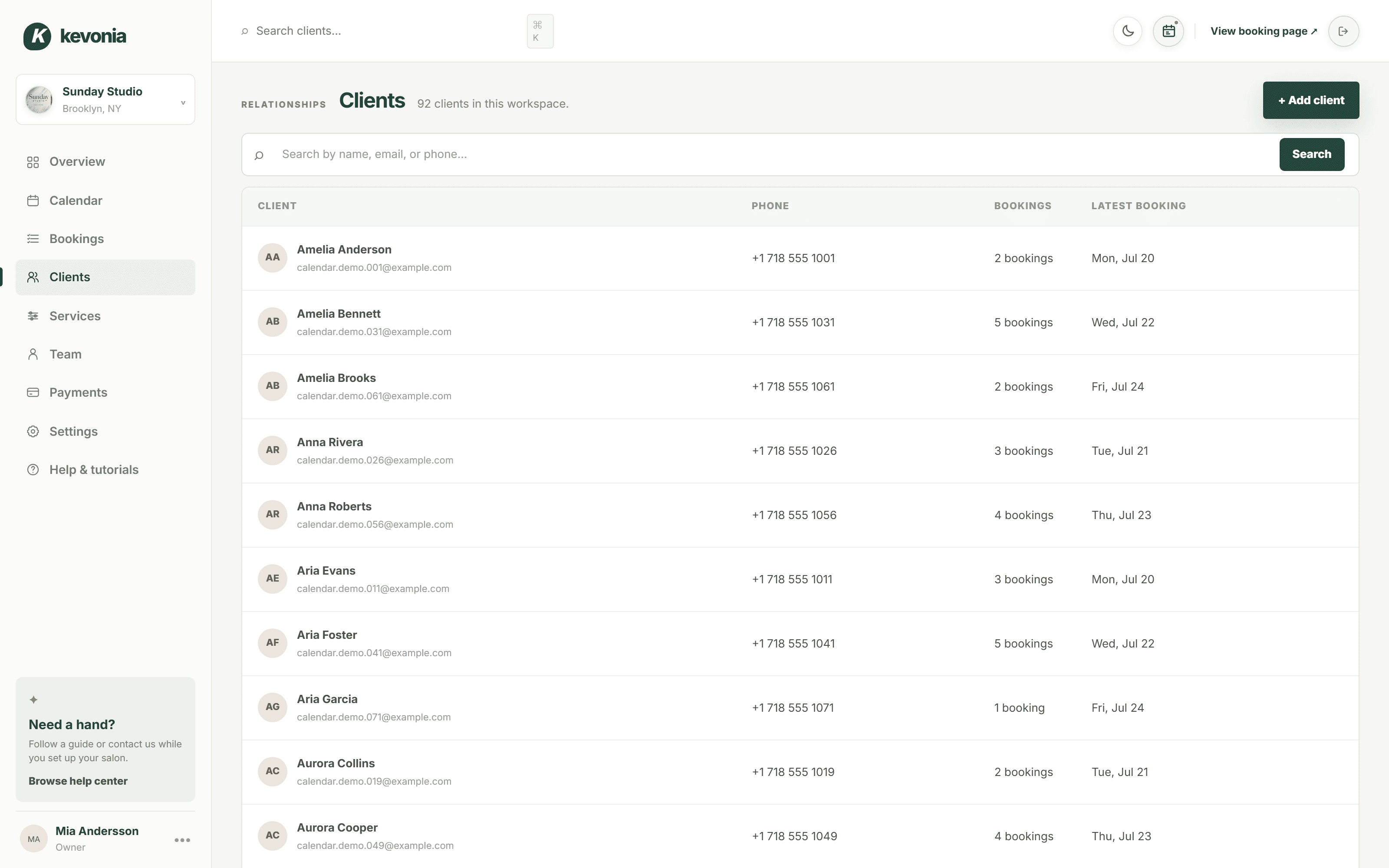
For an owner, the practical details are more important than the positioning. The calendar has week and day views, per-professional filters, and color coding. Client records can be searched by name, email, or phone and include private notes and visit history. Services can carry duration, cleanup or buffer time, price, optional deposit, and professional assignment. The overview screen compares today’s revenue with the same day last week, tracks appointments and clients, shows no-shows as a percentage of the last 30 days’ bookings, and includes a 30-day revenue chart. Revenue figures can be hidden at the front desk.
There are also clear limits. Kevonia does not currently provide multi-location management from one account, retail or inventory POS, marketing or SMS campaign tools beyond the booking reminder email, or a native mobile app. If those are requirements rather than nice-to-haves, Kevonia is not the right replacement. If they are not requirements, avoiding them may make the system easier to learn and less expensive to maintain.
You can inspect the workflow in a live demo workspace before deciding whether the narrower scope fits your team. That is especially useful for owners who want to see the professional filters, availability setup, booking statuses, and client records rather than judging software from a marketing checklist.
A switching plan that reduces booking mistakes
Many comparison articles stop at features and price. The part they often leave out is the cutover plan. A booking system can look better in a demo and still create problems if the salon switches without validating the rules that generate availability. Treat the move as an operations project, not just a software signup.
Start with a written inventory of active services, staff, future appointments, client records, deposits, time-off blocks, closures, and cancellation policies. Then mark which items must be migrated, which can be rebuilt, and which should be cleaned up instead of copied. Old duplicate services and inactive staff profiles are a frequent source of confusion after a move.
- Export or document future appointments and identify any that include deposits or special instructions.
- Create the service menu with exact durations, buffers, prices, deposits, and professional assignments.
- Enter opening hours, breaks, time off, closures, booking windows, minimum notice, and slot intervals.
- Build representative test cases for each provider and the busiest services.
- Ask staff to book, reschedule, cancel, mark no-show, refund, and restore appointments.
- Send the new booking page to a small group of trusted clients before making it the primary link.
- Keep the old system available long enough to verify that no future appointment or payment detail was missed.
- Review the first two weeks of bookings daily for availability errors and client confusion.
Do not switch during the busiest week simply because the calendar looks quieter on paper. Choose a period when the owner or manager can review bookings every day. If your salon has complicated color services, shared rooms, or multiple providers with different rules, spend more time testing availability than comparing dashboard screenshots.
The decision: who should choose which platform?
Schedulicity is worth keeping on the shortlist when its broader wellness and payment-oriented workflow matches your business. Its mobile app, provider scheduling, client history, class and workshop support, waitlist alerts, payment processing, packages, and deposit options may be valuable for a business that needs more than one-to-one salon appointments. Verify the current subscription and processing terms before making a financial decision because the publicly available pricing information reviewed here was not firm enough to quote a current software price.
Kevonia is a stronger fit when you want a direct booking relationship with clients, a salon-specific team calendar, detailed availability rules, client records, deposits and card payments through Stripe, cancellation history, no-show controls, and one predictable monthly plan. It is particularly straightforward for a salon that does not need multi-location management, retail POS, campaign marketing, SMS automation, or a native mobile app.
The best schedulicity competitors are not automatically the best purchase. A platform that looks impressive in a comparison grid can still be wrong if it charges for capacity you do not use, adds complexity your staff will avoid, or makes it difficult to enforce the rules that protect your calendar. Make the decision from your actual services, staffing pattern, booking volume, payment policy, and tolerance for manual work.
If your main goal is to replace an unclear or increasingly awkward appointment workflow with a focused salon system, Kevonia gives you a concrete baseline: US$49.99/month, unlimited team members and bookings, 0% booking commission, and a 14-day trial with no credit card required to start. If your needs extend beyond that core operation, document those requirements first rather than assuming any Schedulicity replacement will cover them.
Sources
Frequently asked questions
Is Kevonia a good Schedulicity alternative for a small salon?+
Yes, if the salon mainly needs direct online booking, a team calendar, service and availability rules, client records, deposits, card payments, reminders, and no-show controls. Kevonia has one US$49.99/month plan with unlimited team members, bookings, clients, and services, plus 0% per-booking commission. It is not a fit if you require multi-location management, retail or inventory POS, SMS campaigns, broader marketing tools, or a native mobile app.
Does Schedulicity charge a booking commission?+
The current sources reviewed did not provide a reliable, current software pricing figure or a single verified booking-commission figure. Schedulicity’s payment terms say applicable processing fees are listed in the pricing schedule or payment settings and may change with notice. Ask Schedulicity for the exact subscription, payment, refund, and transaction terms that apply to your account before comparing totals.
Which platform is better for multiple salon professionals?+
Both platforms describe support for multiple providers, but the better choice depends on how much control your salon needs over each professional’s availability. Kevonia includes unlimited team members, per-professional calendar filters, color coding, professional assignments for services, staff time off, breaks, and double-booking checks. Schedulicity may be attractive if you also need broader class, workshop, waitlist, or payment workflows.
Can clients reschedule or cancel online with Kevonia?+
Yes. Kevonia sends an automatic email reminder the day before the appointment. Within the salon’s notice window, clients can reschedule or cancel from that email. The salon can also track cancellation history with restore, set booking statuses, and block a client from booking online with a reason and no-show history.
What should I test before switching from Schedulicity?+
Test the real rules behind your services, not just the public booking page. Check service duration and cleanup buffers, professional assignments, breaks, staff time off, closures, minimum notice, booking windows, deposits, overlapping bookings, refunds, rescheduling, cancellations, no-shows, and future appointments. A migration can appear successful while silently losing one of those rules.
Does Kevonia have a free trial?+
Kevonia offers a free 14-day trial. No credit card is required to start, and you are never charged if you cancel anytime before the trial ends.
More from the blog

PocketSuite Alternative: The Better Fit for Salon Teams
Looking for a PocketSuite alternative? Compare PocketSuite and Kevonia on pricing, payment fees, salon workflows, team scheduling, and booking limits.

Squire Alternative: When a Leaner Booking System Fits Better
SQUIRE is built for full barbershop operations. Kevonia is a simpler flat-cost alternative when your priority is branded booking, scheduling, payments, and client records without per-seat or per-booking charges.

Mangomint Alternative: When Kevonia Is the Better Fit
Looking for a Mangomint alternative? Compare Mangomint’s per-location, per-user model with Kevonia’s flat plan and decide which platform fits your salon or spa.