Free Salon Booking Software: What to Choose in 2026
Free booking tools can be useful, but limits and payment fees matter. Compare the leading options and see when a predictable paid system makes more sense.

Key takeaways
- A free plan is only useful if its appointment, staff, reminder, payment, and branding limits fit your business.
- Fresha, Setmore, Square Appointments, and Booksy use different models, so compare total operating cost rather than the headline price.
- Kevonia offers one predictable plan with unlimited team members, bookings, clients, and services, plus a 14-day trial with no credit card required.
- Before switching, test the client booking flow, staff availability rules, deposits, reminders, cancellation handling, and data workflow.
What Are You Really Looking for in Free Salon Booking Software?
If you searched for free salon booking software, you probably do not want another generic calendar. You want clients to book without calling, your team to see the same schedule, and your business to avoid paying for tools you may not use. You may also be trying to work out whether “free” means free forever, free for one person, free up to a booking limit, or free until payment and messaging fees begin.
The right choice depends on your business model. A solo lash artist with a small client list can often live with a free plan’s limits. A growing salon may need several calendars, deposits, detailed availability rules, client records, and a booking page that looks like part of the business. This guide explains what to check, compares four recognizable options, and shows where Kevonia fits if you want a straightforward paid alternative.
What “Free” Usually Includes—and What It May Leave Out
A free salon booking system can be genuinely useful. It may give you an online booking page, an appointment calendar, basic reminders, and a way for clients to request time without a phone call. The catch is that providers often place the limits somewhere else: the number of staff profiles, monthly appointments, payment processing, branding, text messages, integrations, or access to customer-discovery features.
Before creating an account, separate the monthly subscription from the cost of running the business through the platform. A tool can have a $0 software plan while still charging payment-processing fees, marketplace fees, paid text messages, or a fee for features you assumed were standard. Square, for example, describes its Free plan as having no monthly subscription cost while payment processing fees still apply when you take a payment. Its official pricing page also lists different plan levels and features, so check the current plan details rather than relying on an old comparison article. Supporting details are available from Square Appointments pricing details.
Use this quick test when evaluating any free plan: could you run your next 90 days of appointments without workarounds? If the answer is no, the “free” option may cost you more in missed bookings, manual follow-up, or time spent moving between apps than a predictable paid system would cost.
- Monthly plan cost: Is the plan truly $0, and for how long?
- Booking limits: Are appointments capped per month, per staff member, or per location?
- Team limits: Can each professional have a separate calendar, or is the free plan designed for one person?
- Payment costs: Are deposits and card payments supported, and what transaction fees apply?
- Reminder costs: Are email reminders included, while SMS or WhatsApp messages cost extra?
- Branding and ownership: Does the booking page show the provider’s branding, and can you export client information?
- Growth limits: Will you need to rebuild your booking process when you add staff or services?
This is also why the phrase salon management software free can be misleading. A basic scheduling page is not the same as a complete operating system for your salon. If you need service-specific buffers, multiple breaks, staff time off, client notes, deposits, cancellation history, and team visibility, compare those workflows directly instead of comparing logos or app-store descriptions.
The Features That Matter Most for a Salon or Spa
The best booking software removes routine coordination work. It should prevent clients from selecting a time that looks open but conflicts with a professional’s hours, break, time off, or another appointment. It should also make the customer journey clear: choose a service, choose a professional if appropriate, select a date and time, and receive an understandable confirmation.
For most salon and spa owners, the following capabilities deserve priority over flashy extras:
- A customer-facing booking page that works outside business hours and can be shared from your website, social profiles, email signature, and Google Business Profile.
- A team calendar with individual professional schedules, clear service ownership, and enough detail to spot gaps or conflicts quickly.
- Availability controls for opening hours, breaks, holidays, staff time off, booking windows, minimum notice, and appointment intervals.
- Service settings for duration, cleanup or buffer time, price, deposits, and which professionals can perform each service.
- Client records with contact details, visit history, and private notes that help the team prepare for the appointment.
- Automatic reminders and a simple way for clients to reschedule or cancel within your policy.
- Payment support for deposits or card payments, with a clear explanation of where funds are paid out and which processing fees apply.
- A cancellation or no-show workflow that preserves enough history to understand what happened.
Do not overlook edge cases. A haircut may take 45 minutes but block 60 minutes once cleanup is included. A massage therapist may need a break between clients. A med spa may require a deposit for certain services but not others. A nail studio may let some professionals perform a service while restricting it for others. If the system cannot represent these rules, your staff will keep managing the real schedule in a separate spreadsheet or chat thread.
How Fresha, Setmore, Square Appointments, and Booksy Differ
The four names below can all appear when you search for a free hair salon management software option, but they are not identical products. Their free or low-cost models make money in different ways, and that affects what you pay as your appointment volume grows.
Fresha is built around salon and beauty bookings, with booking management, client tools, reminders, and optional payment processing. Its pricing information says businesses can manage bookings without enabling Fresha payments and that bookings from a business’s own website, Google, or social channels do not carry a booking fee. Fresha separately describes a one-time fee for new clients acquired through its marketplace, so the important question is whether you want marketplace discovery and whether those clients are genuinely incremental for your business. Supporting details are available from Fresha’s current pricing and fee explanation.
Setmore is a broad appointment-scheduling platform with a free plan aimed at smaller teams. Its current pricing page describes a free plan for up to four users and a monthly appointment limit, along with a booking page, payment acceptance, email reminders, confirmations, integrations, and mobile apps. That can be attractive for a solo provider or a small team testing online booking, but a busy salon should verify whether its expected appointment volume and reminder needs fit the free allowance. Supporting details are available from Setmore’s free-plan limits and included features.
Square Appointments is a natural option for businesses already using Square for payments or other business tools. Square states that its Free plan has no monthly subscription cost, supports online booking, and does not impose an employee limit in the listed plan comparison. The trade-off is that payment processing fees apply when you take payments, and some advanced scheduling, messaging, and business capabilities sit in paid plans. It is strongest when keeping booking and payments within the Square ecosystem matters more than having a salon-specific workflow. Supporting details are available from Square Appointments’ official plan comparison.
Booksy is different from a simple free scheduling calendar because its model includes a paid subscription and payment-processing costs, according to its official pricing page. It is relevant to barbers, stylists, and beauty professionals who want a marketplace-oriented platform as well as booking tools. If your priority is owning a direct booking relationship through your own branded page, compare the subscription, payment terms, client-acquisition model, and branding experience before choosing it. Supporting details are available from Booksy’s official subscription and payment information.
- Choose Fresha when marketplace discovery and a beauty-focused ecosystem are important, and you understand when marketplace-related fees can apply.
- Choose Setmore when you want a general appointment tool with a free entry plan and your team and booking volume fit its stated limits.
- Choose Square Appointments when Square payments and the wider Square ecosystem are already central to your business.
- Choose Booksy when its marketplace and professional-booking model match how you attract clients, and the subscription is acceptable.
- Look beyond the free label when you need a predictable salon workflow with no per-seat or per-booking commission.
Where Kevonia Fits
Kevonia fits between a basic free scheduling tool and a large, heavily layered salon platform. It is designed for salons, barbershops, tattoo studios, nail salons, day spas, med spas, esthetician and lash studios, beauty clinics, wellness and yoga studios, and massage therapists that want booking, scheduling, client records, service setup, availability rules, and Stripe payments in one workspace.
The difference is predictable pricing rather than a free-tier structure. Kevonia has one plan at $49.99 per month, with unlimited team members, bookings, clients, and services. There are no feature tiers, add-on prices, per-seat charges, or per-booking commission. A 14-day trial is free, no credit card is required to start, and you are never charged if you cancel before the trial ends.
The booking experience includes a branded online page at kevonia.com/your-salon that stays open 24/7. Clients choose a service, professional, date, and time. In the workspace, the team can use a week or day calendar with professional filters and color coding. Double-booking protection checks hours, breaks, time off, and existing bookings before a time is offered, which is more useful than simply displaying an empty-looking calendar slot.
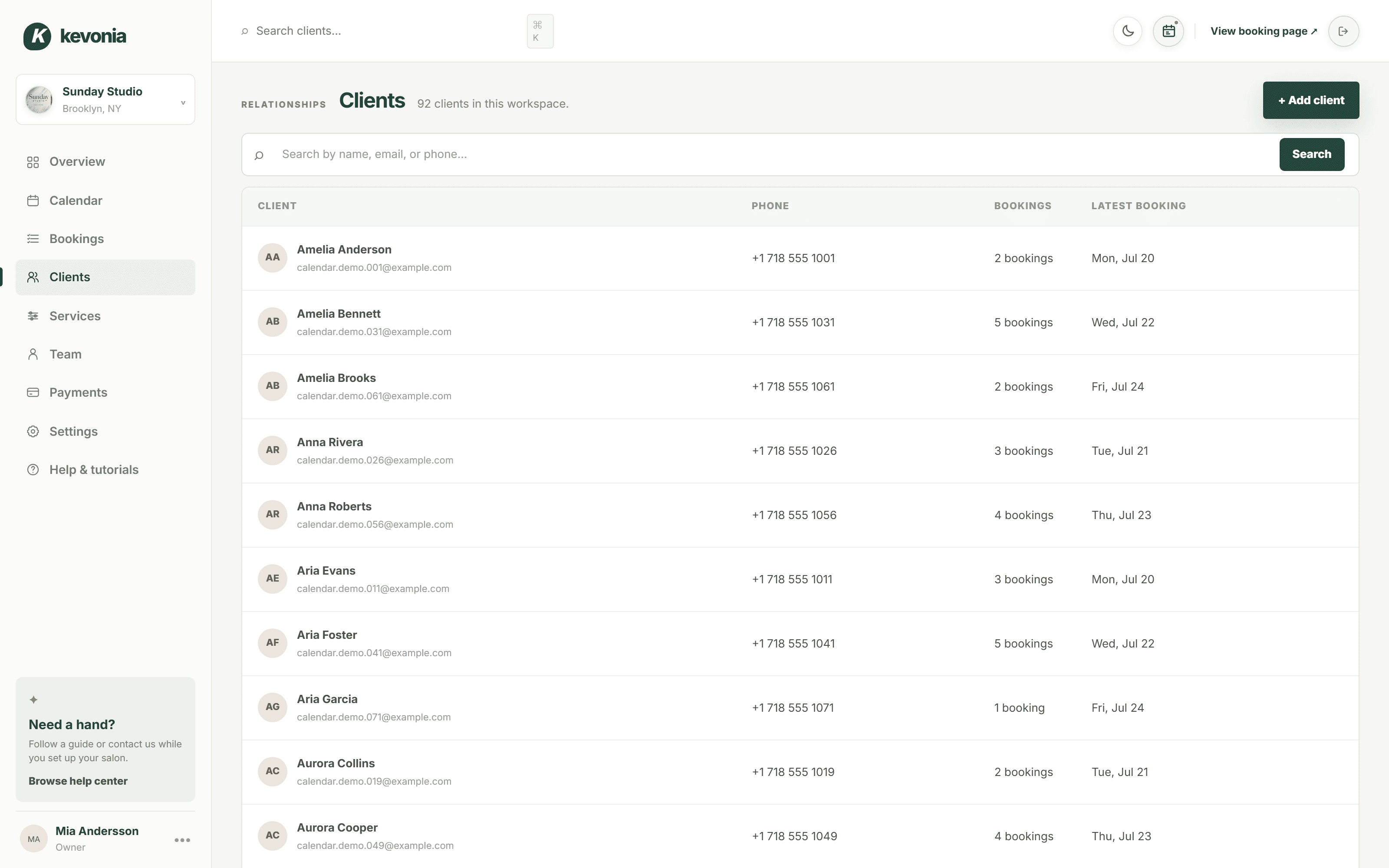
Kevonia also covers the operational details that tend to expose a basic free salon scheduling app. You can set service duration, cleanup or buffer time, price, optional deposits, and professional assignments. Availability rules can include weekday opening hours, multiple breaks, staff time off, salon closures, booking windows, minimum notice, and time-slot intervals. Client records can be searched by name, email, or phone and include private notes and visit history.
Payments and follow-up are built into the same workflow through Stripe. Salons can accept card payments and deposits, with payouts going to the salon’s bank account. Clients receive an automatic email reminder the day before an appointment and can reschedule or cancel from that email within the salon’s notice window. Cancellation history can be restored when needed.
Kevonia is not a fit for every operation. It does not currently provide multi-location management from one account, retail or inventory POS, marketing or SMS campaign tools beyond the booking reminder email, or a native mobile app. Those omissions matter if your business needs several locations, product sales, large marketing campaigns, or mobile-first staff administration. They may matter less if your immediate problem is getting reliable online booking and schedule control without per-seat or per-booking charges.
Match the Software to Your Business Model
There is no universal winner among free booking tools. The right answer changes depending on who books appointments, how clients find you, how many professionals share the calendar, and whether you collect money before the visit.
A solo professional with a small schedule should first test the customer booking flow. Can a new client find the right service without messaging you? Can you block time off? Can you prevent bookings inside your preparation window? If the free plan handles those basics and the appointment limit is comfortably above your normal volume, it may be enough.
A team salon should focus on scheduling conflicts and accountability. Each professional needs accurate hours, breaks, time off, and service assignments. If the owner must manually check every online booking before approving it, the software is creating another inbox rather than reducing work. A plan with a clear team calendar and unlimited staff can become more economical when compared with the cost of staff time and avoidable double bookings.
A business that relies on deposits should calculate total payment cost. A free system may be perfectly reasonable if you only take occasional card payments. If most appointments require a deposit, compare the processor’s fee, payout timing, refund process, and whether the deposit rules are easy for clients to understand. A monthly subscription can be easier to budget than a platform that looks free but becomes expensive through transaction or marketplace activity.
A salon that wants discovery should deliberately decide whether a marketplace is an advantage. Marketplaces may expose you to new clients, but they can also affect branding, client ownership, and acquisition costs. If most bookings already come from your website, referrals, Instagram, or Google Business Profile, a direct branded booking page may be more important than appearing in another directory.
- Solo provider: prioritize a simple booking page, appointment limits, payment acceptance, and reminders.
- Small team: verify staff limits, separate calendars, service assignments, and shared availability rules.
- Busy salon or spa: prioritize conflict prevention, buffers, deposits, cancellations, client records, and predictable pricing.
- Marketplace-led business: calculate acquisition fees and decide whether new-client discovery justifies them.
- Direct-relationship business: prioritize a branded page, client records, and a clear route from your own marketing to booking.
How to Test a Free Booking Tool Before You Commit
Do not judge software from the owner dashboard alone. Run a realistic test as both the owner and the client. Use the services, durations, staff schedules, breaks, deposits, and policies you actually use. A tool can look polished while failing on the one service that causes the most scheduling problems.
- Create your real services. Add different durations, buffers, prices, deposits, and professional assignments instead of one generic test service.
- Set availability. Add opening hours, lunch breaks, staff time off, a closure, minimum notice, and a booking window.
- Book as a new client. Check whether the service and professional choices make sense and whether the available times are accurate.
- Create a conflict. Try to book during a break, outside working hours, during time off, or on top of an existing appointment.
- Test a deposit. Confirm what the client sees, where payment is processed, and how a cancellation or refund would be handled.
- Test reminders. Check the timing, wording, rescheduling link, cancellation link, and whether the process respects your notice policy.
- Review client records. Make sure contact details, notes, visit history, and cancellation history are easy to find and use.
- Calculate the real cost. Include monthly fees, payment processing, paid messages, marketplace fees, add-ons, and any future staff or location charges.
Ask two team members to complete the same test without instructions. If they configure the same service differently or cannot tell which professional owns a booking, your setup process may be too complicated. Also test the experience on a phone, because many clients will book while commuting, between appointments, or after seeing a social post.
Common Mistakes When Choosing Free Salon Software
The most common mistake is selecting the plan with the lowest visible price rather than the workflow with the lowest total cost. Owners often discover the limitation only after clients are using the page: the free plan has too few staff profiles, reminders are restricted, deposits are unavailable, or the booking page cannot represent the salon’s actual service rules.
- Ignoring appointment caps: Estimate your busiest month, not your quietest month, and include rebookings and recurring clients.
- Treating payment fees as irrelevant: A $0 subscription can still produce meaningful costs if you process many deposits or prepaid appointments.
- Using one calendar for a team: Shared availability without professional-level rules can create double bookings and awkward manual corrections.
- Skipping buffer times: Service duration alone may not account for cleanup, consultation, room turnover, or setup.
- Choosing a marketplace without a client-acquisition plan: Discovery is only valuable if the economics and client relationship make sense.
- Failing to test cancellation behavior: A booking system should make your policy clear without forcing staff to resolve every change manually.
- Overbuying features: Do not pay for inventory, campaigns, locations, or mobile tools you will not use if your immediate need is dependable booking.
- Underbuying operational control: Do not choose a bare calendar if client notes, deposits, availability rules, or reminders are essential to your day.
Another mistake is assuming that free means future-proof. A free tool can be an excellent starting point, but you should know what happens when you add a second professional, exceed the appointment allowance, need deposits, or want to remove provider branding. Write down your likely next step before you migrate client information and publish the booking link everywhere.
The Practical Bottom Line for 2026
Free salon booking software is a sensible starting point when you are solo, your appointment volume is modest, and the free plan includes the exact workflow you need. Setmore and Square Appointments are worth examining for free entry plans, while Fresha and Booksy deserve closer attention if marketplace or beauty-industry discovery is part of your acquisition strategy. Their models differ, so compare the current terms rather than assuming every “free” label means the same thing.
If you have a team, take deposits, need detailed availability rules, or want to avoid per-seat and per-booking charges, a predictable paid system may be the better business decision. Kevonia’s single $49.99 monthly plan includes unlimited team members, bookings, clients, and services, along with a branded booking page, team calendar, client records, service configuration, availability controls, Stripe payments, deposits, reminders, and cancellation history. It offers a 14-day trial with no credit card required to start, and you are never charged if you cancel before the trial ends.
The best choice is the one that accurately reflects how your business operates. Count the real costs, test the edge cases, and judge the booking experience from a client’s phone. A free plan that works is valuable. A free plan that forces daily workarounds is not actually free.
Sources
- Fresha pricing and booking-fee information
- Setmore pricing and free-plan details
- Square Appointments pricing and plan comparison
- Booksy pricing and payment information
- Kevonia salon booking program
- Kevonia beauty salon booking software
- Kevonia hair salon booking software
- Kevonia spa booking software
- Kevonia live demo
Frequently asked questions
Is free salon booking software really free?+
Sometimes. A provider may offer a $0 monthly plan but still charge for card processing, marketplace bookings, paid text messages, add-ons, or higher usage. Check staff limits, appointment caps, payment fees, reminder allowances, branding, and upgrade requirements before publishing the booking link.
What is the best free salon booking system for a solo stylist?+
The best option is the one that supports your actual appointment volume and required workflow. A solo stylist should test online booking, service duration, availability, reminders, payments, cancellations, and client records. Setmore and Square Appointments both publish free entry options, while Fresha and Booksy may make more sense when marketplace discovery is important.
Can free salon software handle multiple employees?+
Some free plans support multiple users, but the limits vary. Setmore’s current pricing page describes its free plan as supporting up to four users, while Square’s Free plan comparison states that it does not impose an employee limit. Always verify whether each employee can have individual hours, services, breaks, and time off rather than simply sharing one calendar.
Does free booking software charge per appointment?+
It depends on the provider and the source of the booking. Fresha says it does not charge booking fees for bookings from a business’s own website, Google, social media, or offline channels, but it describes a one-time fee for new clients acquired through its marketplace. Payment-processing fees may still apply across platforms when a client pays by card.
Is Kevonia free?+
Kevonia is not a free-forever plan. It has one plan at $49.99 per month with unlimited team members, bookings, clients, and services. The trial is free for 14 days, no credit card is required to start, and you are never charged if you cancel before the trial ends. There is no per-booking commission or per-seat charge.
What should I import or prepare before switching booking software?+
Prepare your service list, durations, cleanup or buffer times, prices, deposits, professional assignments, opening hours, breaks, time off, closures, minimum notice, booking window, cancellation policy, and client contact records. Before going live, complete test bookings, conflicts, deposits, reminders, rescheduling, cancellations, and staff access on both desktop and phone.
More from the blog

Free Salon Consultation Appointments That Lead to Bookings
A free consultation should clarify the client’s goal, confirm what is safe and realistic, and make the next booking easy. Here is how to structure one without losing valuable appointment time.

Best Salon Booking Software: 5 Top Picks for 2026
A practical, no-fluff comparison of the best salon booking software options — pricing, fees, and features — so you can pick the right one for your business.

Beauty Salon Software for iPad: What to Look For in 2026
Looking for beauty salon software for iPad? Learn which booking, calendar, payment, and staff-management features matter—and where Kevonia, Vagaro, Square Appointments, and Fresha fit.